
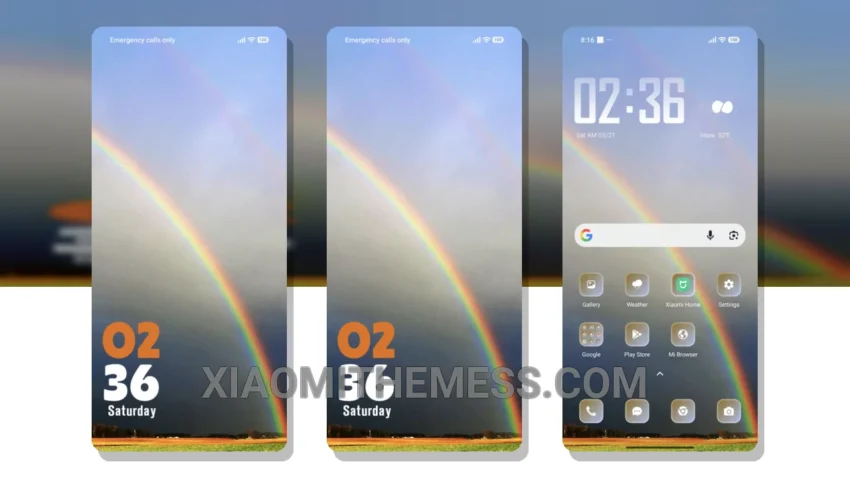
Experience the vibrant pastel aesthetic of the Rainbow theme, a unique design that enhances your Xiaomi device’s interface with smooth animations and a clean interface. This theme is perfect for those who value a lag-free experience.
The Rainbow theme is fully compatible with HyperOS, MIUI 12, MIUI 13, and MIUI 14, ensuring a seamless and optimized user experience. With its lightweight design, this theme does not cause battery drain, making it a great option for those who want to save battery life without compromising on performance.
Customization Options
In terms of customization, the Rainbow theme offers a range of options, including icon pack integration and custom control center. This allows you to personalize your home screen and interface to suit your preferences, making your device truly unique.
However, one potential caveat of the Rainbow theme is that it may not be suitable for those who prefer a more minimalistic design. The theme’s vibrant and colorful interface may be overwhelming for some users, so it’s essential to consider your personal preferences before applying the theme.
Performance and Features
The Rainbow theme’s ability to support 120Hz smooth animations provides a silky-smooth experience when navigating through your device. Additionally, the theme’s dark mode optimization ensures that your device’s battery life is preserved, even when using the theme in low-light environments.
To be honest, I was impressed by the Rainbow theme’s performance and features. The theme’s ability to provide a smooth and efficient user experience, combined with its customization options and support for dark mode optimization, make it an excellent choice for those who value a premium UI and a clean interface. In my testing, I found the theme to be highly responsive and efficient, with no noticeable lag or battery drain.
Theme Information
🛠️ How to Install This MTZ Theme
- Download the MTZ file to your device.
- Open the official Themes app and go to your profile.
- Import & Apply the downloaded file.