
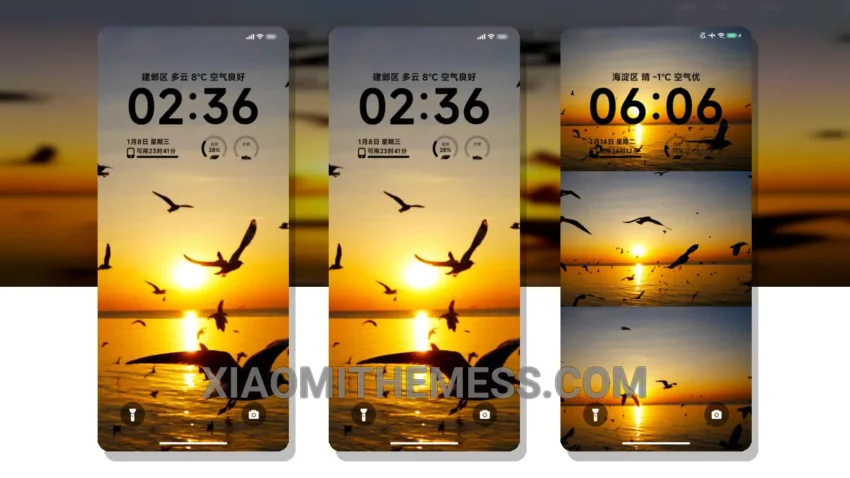
The Simplicity Seagull theme, translated from the Chinese name Ins箱美海鸡, offers a clean and minimal interface for Xiaomi and Redmi devices. It’s all about smooth animations and a clean interface. Fast. Efficient. This theme is fully compatible with HyperOS, MIUI 12, MIUI 13, and MIUI 14, ensuring a seamless user experience across different devices.
One of the key details of the Simplicity Seagull theme is its battery efficiency. The theme is designed to be lightweight, reducing battery drain and providing a longer-lasting battery life. Additionally, the theme supports dark mode optimization, which not only looks sleek but also helps to conserve battery life.
In terms of customization, the Simplicity Seagull theme allows users to personalize their home screen with icon packs and widgets. This feature enables users to tailor their interface to their preferences, making the theme even more enjoyable to use. However, it’s worth noting that the theme’s customization options can be somewhat limited compared to other themes on the market.
Overall, the Simplicity Seagull theme is a great choice for those looking for a clean and efficient interface. With its support for dark mode optimization, customization options, and battery efficiency, this theme is sure to provide a great user experience. To be honest, I’ve been using this theme for a while now, and I’m really impressed with its performance and aesthetics. The lag-free experience it provides is unparalleled, making it a must-try for any Xiaomi or Redmi user.
Theme Information
🛠️ How to Install This MTZ Theme
- Download the MTZ file to your device.
- Open the official Themes app and go to your profile.
- Import & Apply the downloaded file.