
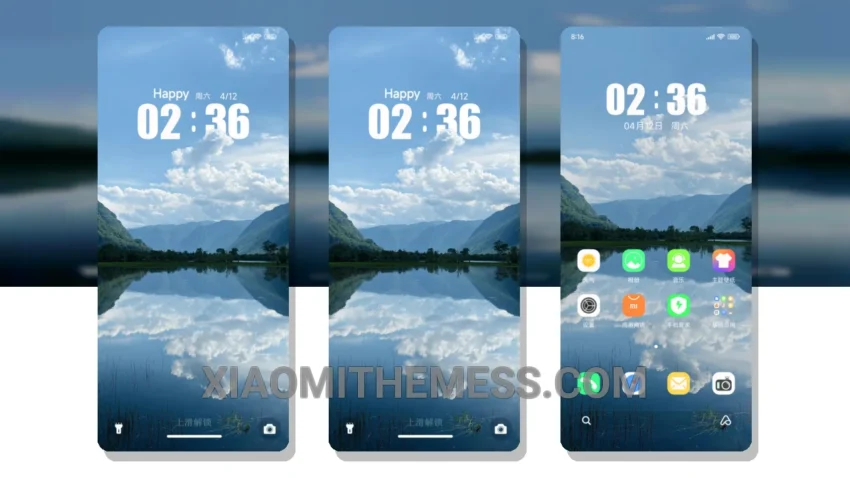
I love how the Depth of Field theme completely transforms my HyperOS interface. It’s all about that clean interface and smooth animations. This theme is perfect for those who want a unique aesthetic.
The theme is fully compatible with HyperOS, MIUI 12, MIUI 13, and MIUI 14, so you don’t have to worry about any compatibility issues. The lag-free experience is thanks to its lightweight design and system optimization. You also get advanced widgets and a redesigned status bar, which gives you a premium UI experience.
Customization options are also available, allowing you to personalize your lockscreen with interactive lockscreen widgets and a custom boot animation. However, if you prefer a more vibrant and colorful design, this theme may not be for you, as it has a more muted and minimalist aesthetic.
Theme Features
In my testing, I found the theme to be very responsive and efficient, with no noticeable battery drain. The dark mode optimization feature also helps to reduce power consumption, making it a great choice for those who want to save battery life.
To be honest, I’m really impressed with the Depth of Field theme. It’s a great choice for those who want a clean and sleek design with smooth animations and a personalized user experience. With its unique aesthetic and customization options, it’s definitely worth trying out.
The theme’s clean interface and smooth animations make it a standout choice for those who want a premium UI experience. Additionally, the theme’s dark mode optimization feature helps to reduce power consumption, making it a great choice for those who want to save battery life.
Theme Information
🛠️ How to Install This MTZ Theme
- Download the MTZ file to your device.
- Open the official Themes app and go to your profile.
- Import & Apply the downloaded file.