
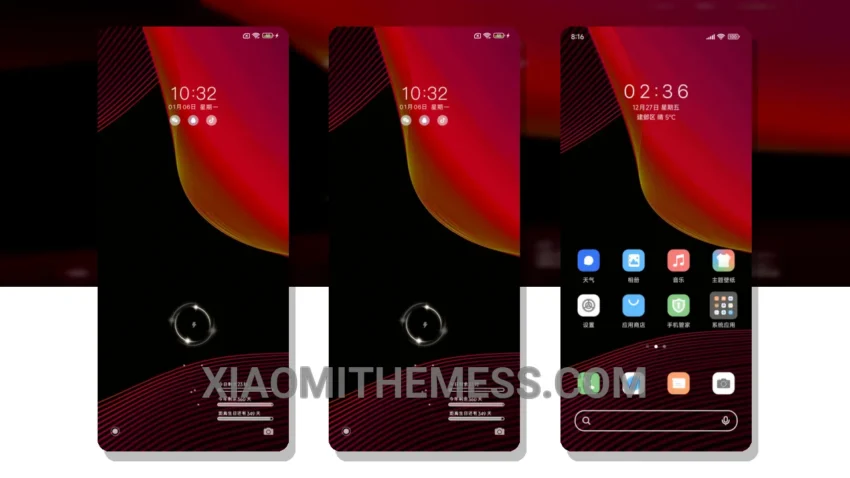
Dark mode is my thing. I love how it saves battery and reduces eye strain. The Business Red Makeup theme is a great example of a well-designed dark mode theme. It’s elegant, simple, and optimized for AMOLED screens.
The theme is fully compatible with HyperOS, MIUI 12, MIUI 13, and MIUI 14, so you can enjoy it on a wide range of devices. One of the best things about this theme is its ability to customize icons, wallpapers, and other elements to give your phone a personalized look.
I’ve been using this theme for a while now, and I have to say, it’s been a great experience. The 120Hz smooth animations make navigation a breeze, and the lag-free experience is a big plus. However, I did notice that the theme can be a bit heavy on resources, which might affect performance on lower-end devices.
Theme Features
The Business Red Makeup theme has a lot to offer. It comes with a range of features, including a clean interface, premium UI, and aesthetic home screen. The theme also supports dynamic island integration and custom boot animation, which adds to its overall appeal.
To be honest, I’m really impressed with the Business Red Makeup theme. It’s a great example of how a dark mode theme can be both elegant and functional. If you’re looking for a theme that’s easy on the eyes and customizable, this might be the one for you.
Theme Information
🛠️ How to Install This MTZ Theme
- Download the MTZ file to your device.
- Open the official Themes app and go to your profile.
- Import & Apply the downloaded file.