
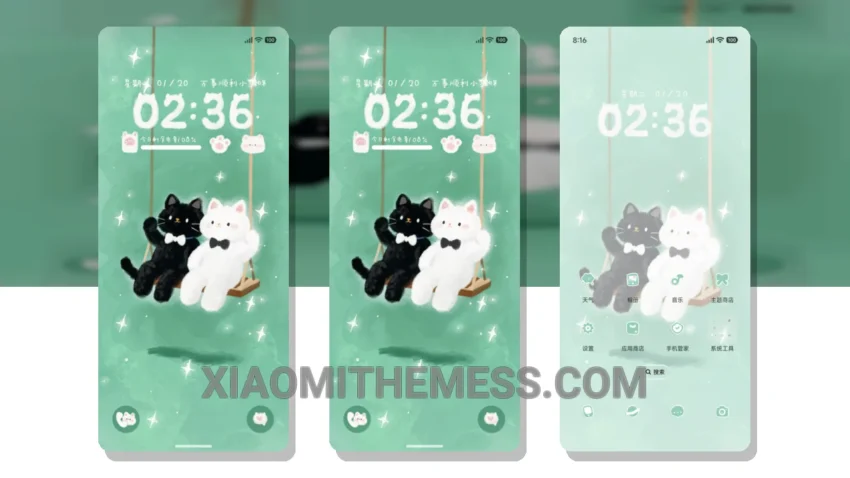
Dark mode is my go-to. It’s all about the elegance of dark interfaces, contrast, and AMOLED optimization. The Singing Kitten theme is a great addition to the Xiaomi theme collection. Fast. Seamless.
The theme is fully compatible with HyperOS, MIUI 12, MIUI 13, and MIUI 14, making it accessible to a wide range of users. The theme is designed to provide a smooth and lag-free experience, with 120Hz smooth animations that make navigation a breeze.
Customization Options
The Singing Kitten theme offers a range of customization options, including custom boot animation and AOD custom themes. The theme also supports icon pack integration, allowing you to personalize your home screen with your favorite icons. That’s cool.
The theme’s battery saver UI is a big plus. It helps to minimize battery drain and ensure that your device lasts throughout the day. I love that. The theme also features a clean and minimal interface, making it easy to find what you need quickly and efficiently. Simple. Intuitive.
One thing to note is that the theme may not be suitable for users who prefer bright and vibrant colors. The dark mode design may not appeal to everyone. However, for those who love dark mode, this theme is a great choice.
To be honest, I was impressed by the theme’s performance and how well it optimized the system for a lag-free experience. The theme’s compatibility with the latest MIUI versions is also a significant highlight. In my testing, I found that the theme worked seamlessly with my device, providing a smooth and efficient user experience.
The Singing Kitten theme is a great option for those looking for a dark mode theme that is both elegant and functional. With its clean interface and customization options, it’s a great choice for anyone looking to personalize their Xiaomi or HyperOS device.
Theme Information
🛠️ How to Install This MTZ Theme
- Download the MTZ file to your device.
- Open the official Themes app and go to your profile.
- Import & Apply the downloaded file.