
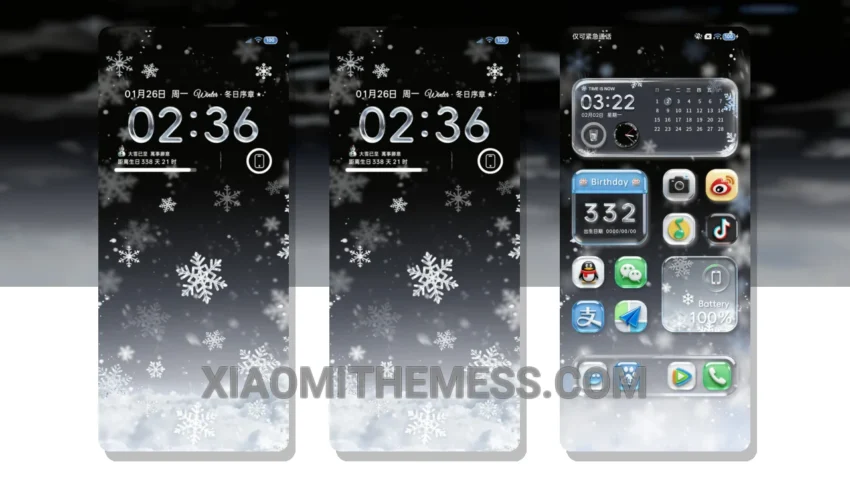
Dark mode is my jam. I mean, who needs a bright, eye-searing interface when you can have a sleek, dark mode theme that saves battery and reduces eye strain? The Glass Frost theme is a great example of a well-designed dark mode theme.
The theme features a glass-like design that’s sleek, modern, and looks amazing on my AMOLED screen. The theme also features 120Hz smooth animations, which makes navigating the interface a breeze.
The Glass Frost theme is also highly customizable, with support for icon pack integration and custom boot animation. This means you can personalize your home screen to your heart’s content, with a wide range of icon packs and boot animations to choose from.
In terms of performance, the Glass Frost theme is lag-free and doesn’t cause any battery drain. This is because the theme is optimized for dark mode, which reduces the amount of power consumed by the screen.
Why I love the Glass Frost theme
Overall, I’m really impressed with the Glass Frost theme. It’s a great example of a well-designed dark mode theme that’s both stylish and functional. To be honest, I’ve been using this theme for a while now, and I haven’t experienced any issues with it.
Theme Information
🛠️ How to Install This MTZ Theme
- Download the MTZ file to your device.
- Open the official Themes app and go to your profile.
- Import & Apply the downloaded file.