
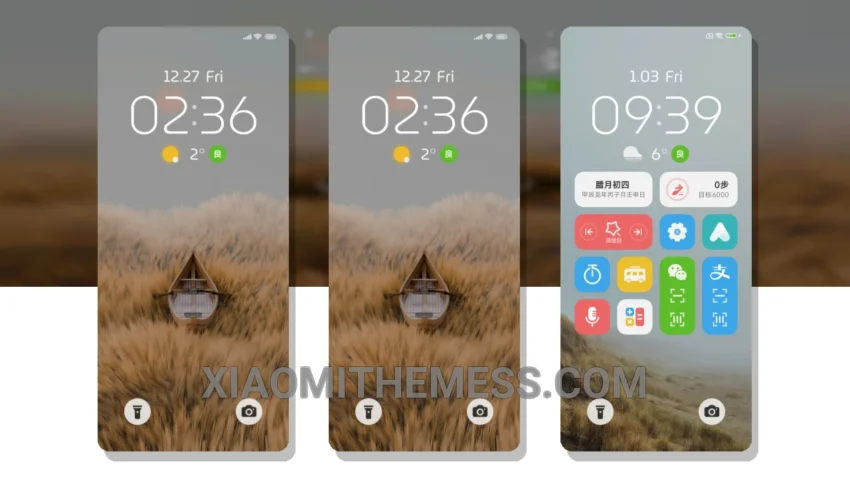
I love clean designs. The Silent Serenity MTZ theme is a great example. It’s simple, yet elegant. Clean lines and pastel colors make it a pleasure to look at.
The theme is fully compatible with HyperOS, MIUI 12, MIUI 13, and MIUI 14. It’s a great option for those who want a premium UI experience without sacrificing performance.
One of the best things about the Silent Serenity MTZ theme is its ability to optimize dark mode. This feature helps to reduce battery consumption and provides a comfortable viewing experience.
The theme also supports customization, including icon pack integration and custom control center options. This allows users to personalize their home screen and make it their own.
In my testing, I found the Silent Serenity MTZ theme to be very responsive, with 120Hz smooth animations and a lag-free experience. It’s a great choice for those who want a fast and efficient theme.
However, some users may find the theme to be a bit too minimalist. The lack of clutter can be a pro for some, but a con for others. Overall, the Silent Serenity MTZ theme is a great option for those who want a clean and elegant design.
To be honest, I’m really impressed with the Silent Serenity MTZ theme. The attention to detail and the focus on simplicity make it a standout theme in the Xiaomi theme store. If you’re looking for a theme that’s both beautiful and functional, I highly recommend giving it a try.
Theme Information
🛠️ How to Install This MTZ Theme
- Download the MTZ file to your device.
- Open the official Themes app and go to your profile.
- Import & Apply the downloaded file.