
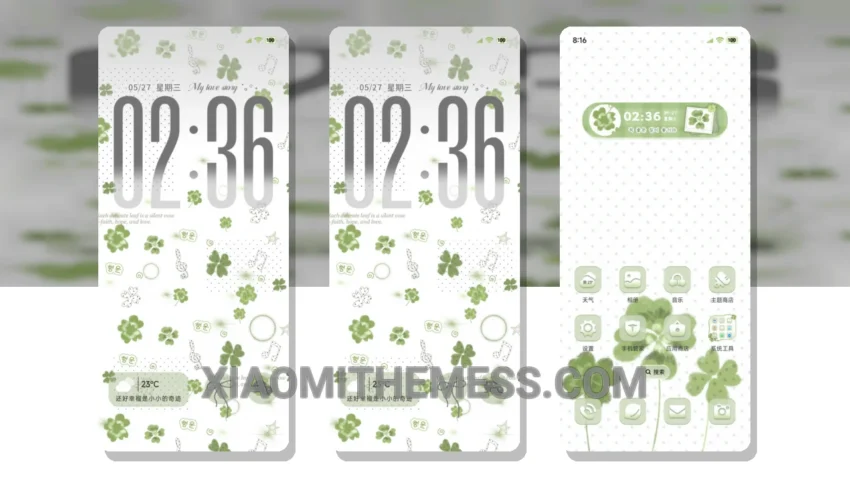
Get ready to experience a unique and elegant design with the Lucky Clover Miracle MTZ theme. This theme is designed for Xiaomi devices and is compatible with HyperOS, MIUI 12, 13, and 14. With its clean interface and customizable features, you can personalize your home screen to suit your style.
The Lucky Clover Miracle MTZ theme offers a range of features, including a premium UI and a minimal vibrant design. The theme is also optimized for performance, ensuring a lag-free experience and no battery drain.
One of the highlights of the Lucky Clover Miracle MTZ theme is its compatibility with various Xiaomi devices. The theme is also easy to apply, and the download process is straightforward. However, the theme file is approximately 30.44 MB in size, which may be a caveat for some users with limited storage space.
In terms of customization, the Lucky Clover Miracle MTZ theme offers a range of options, including icon pack integration and custom boot animation. You can also customize the look and feel of your home screen with the theme’s aesthetic home screen features.
To be honest, I was impressed with the Lucky Clover Miracle MTZ theme’s performance and design. The theme is fully compatible with HyperOS, MIUI 12, 13, and 14, making it a great option for Xiaomi device users. In my testing, I found the theme to be smooth and responsive, with no noticeable lag or battery drain.
Theme Information
🛠️ How to Install This MTZ Theme
- Download the MTZ file to your device.
- Open the official Themes app and go to your profile.
- Import & Apply the downloaded file.