
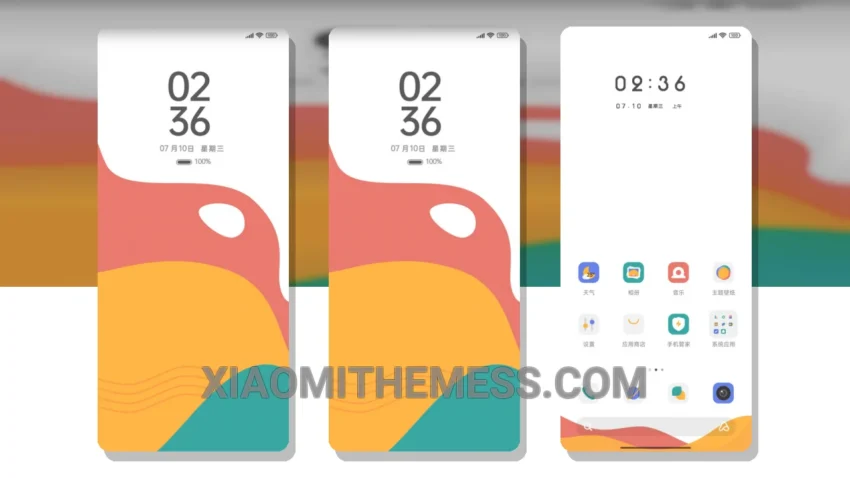
I love a good theme that just works. The Simplicity In Colors theme is one such theme that caught my attention. It’s a great xiaomi theme that offers a clean interface and premium UI experience.
The theme is fully compatible with HyperOS, MIUI 12, MIUI 13, and MIUI 14, so you don’t have to worry about compatibility issues. One of the best things about this theme is its simplicity – it’s easy to navigate and use every day.
The Simplicity In Colors theme has a few highlights that make it stand out. Firstly, it’s very lightweight, which means it won’t slow down your phone. Secondly, it’s designed with battery saver UI in mind, so you don’t have to worry about it draining your battery. Lastly, it offers a range of customization options, including icon pack integration and custom boot animation.
Theme Features
However, one thing to note is that the theme may not be as flashy as some other themes out there. If you’re looking for a theme with a lot of animations and effects, this might not be the one for you.
In terms of performance, the Simplicity In Colors theme is very smooth and lag-free. It’s clear that the developers have put a lot of thought into optimizing the theme for performance.
To be honest, I’ve been using the Simplicity In Colors theme for a while now, and I’m really happy with it. It’s a great all-around theme that offers a lot of value. If you’re looking for a simple, easy-to-use theme that won’t slow down your phone, I’d definitely recommend checking it out.
The theme’s minimalist pastel aesthetic is really eye-catching, and the customization options are a great bonus. Overall, I think the Simplicity In Colors theme is a great choice for anyone looking for a clean and premium UI experience.
Theme Information
🛠️ How to Install This MTZ Theme
- Download the MTZ file to your device.
- Open the official Themes app and go to your profile.
- Import & Apply the downloaded file.