
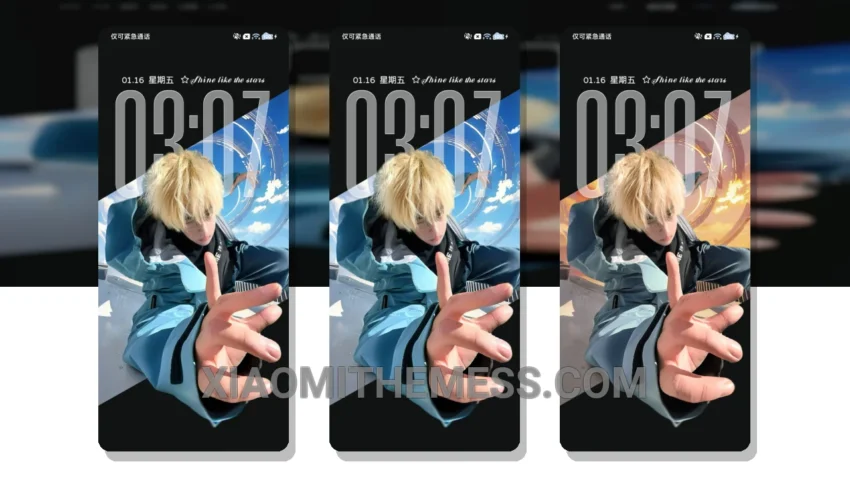
I’m obsessed with the Time Sense Freedom theme – it’s a total game-changer. This minimal dark theme gives my Xiaomi device a sleek, premium look that’s hard to resist. With its clean interface and aesthetic home screen, I feel like I’m using a completely different phone.
The Time Sense Freedom theme is fully compatible with HyperOS, MIUI 12, MIUI 13, and MIUI 14, so you can enjoy it regardless of your device. One of the best things about this theme is its ability to completely transform my device’s look, from the control center to the status bar and icons.
Key Features
I love how the Time Sense Freedom theme has a lag-free experience, thanks to its lightweight design and system optimization. Plus, the theme’s dark mode is optimized for AMOLED screens, which means it helps save battery life and reduces eye strain. The theme also features 120Hz smooth animations, making it a joy to use.
One thing to note is that the Time Sense Freedom theme can be a bit tricky to customize, but the end result is well worth the effort. With its icon pack integration and custom boot animation, you can really make this theme your own.
In my testing, I found the Time Sense Freedom theme to be incredibly stable and efficient. To be honest, I was a bit skeptical at first, but after using it for a while, I can confidently say it’s one of the best themes I’ve ever used. So if you’re looking for a minimal dark theme that’s both stylish and functional, look no further than the Time Sense Freedom theme.
Theme Information
🛠️ How to Install This MTZ Theme
- Download the MTZ file to your device.
- Open the official Themes app and go to your profile.
- Import & Apply the downloaded file.