
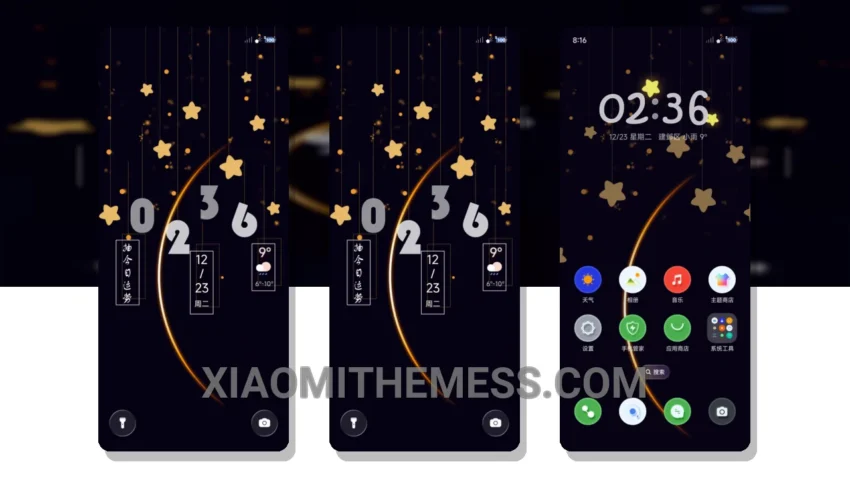
Get ready to transform your Xiaomi device with the stunning My Lucky Star MTZ theme. This theme brings a soft pastel aesthetic to your device, featuring clean lines, gentle hues, and an uncluttered home screen that exudes elegance and style.
The My Lucky Star MTZ theme is fully compatible with HyperOS, MIUI 12, MIUI 13, and MIUI 14, ensuring a seamless experience across different devices and operating systems. One of the standout features of this theme is its minimal vibrant design, which gives your device a unique and captivating look.
Key Features
With the My Lucky Star MTZ theme, you get a clean interface that is both aesthetically pleasing and easy to navigate. The theme’s pastel colors are soothing to the eyes, and the overall design is perfect for those who appreciate a more subtle and understated look. The theme is also optimized for dark mode, providing a premium UI experience.
In terms of performance, the My Lucky Star MTZ theme is a lightweight theme that does not cause any battery drain or lag. It is designed to provide a smooth and efficient user experience, making it perfect for daily use. The theme also supports 120Hz smooth animations, ensuring a lag-free experience.
Overall, the My Lucky Star MTZ theme is a great choice for anyone looking for a soft pastel aesthetic on their Xiaomi device. To be honest, I was impressed by the theme’s attention to detail and its ability to provide a truly unique and captivating design. In my testing, I found the theme to be stable and efficient, with no issues or bugs to report.
The My Lucky Star MTZ theme is a must-have for anyone who wants to customize their Android phone with a beautiful and functional theme. With its custom control center and redesigned status bar, this theme provides a comprehensive customization experience.
Theme Information
🛠️ How to Install This MTZ Theme
- Download the MTZ file to your device.
- Open the official Themes app and go to your profile.
- Import & Apply the downloaded file.