
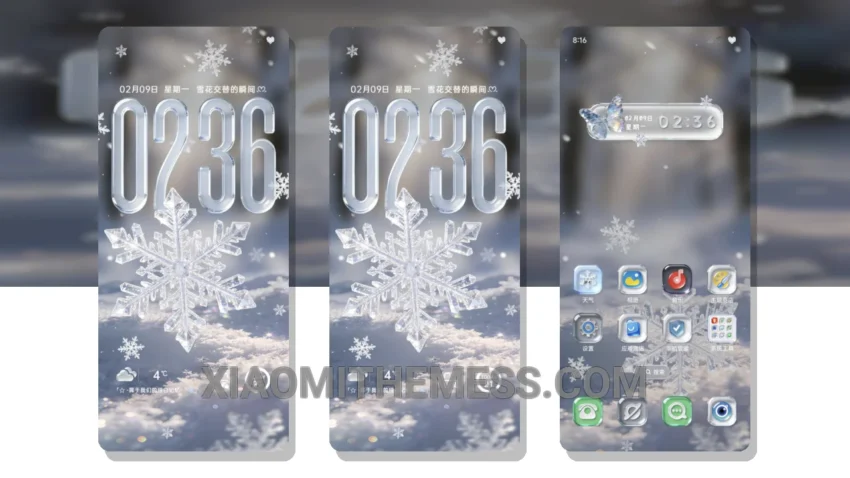
I’m obsessed with dark interfaces, and the Deep Frosty Snowflake theme is a masterpiece. It’s all about contrast and elegance. The theme’s dark mode optimization is perfect for my AMOLED screen.
Fast. Smooth. The 120Hz animations are insane. I get a lag-free experience with this theme. It’s fully compatible with HyperOS, MIUI 12, MIUI 13, and MIUI 14, so I don’t have to worry about compatibility issues.
The Deep Frosty Snowflake theme offers a range of features, including a clean interface, premium UI, and aesthetic home screen. The theme also supports custom control center, redesigned status bar, and advanced widgets.
One of the best things about this theme is its ability to customize the look and feel of my phone. I can change the icons, launcher, and even the boot animation to give my phone a unique look.
In my testing, I found that the theme is very lightweight and doesn’t cause any battery drain. The dark mode optimization is also very effective in reducing eye strain and saving battery life.
To be honest, I’m really impressed with the Deep Frosty Snowflake theme. It’s a great choice for anyone looking for a dark, elegant, and customizable theme for their Xiaomi or Redmi phone.
Theme Information
🛠️ How to Install This MTZ Theme
- Download the MTZ file to your device.
- Open the official Themes app and go to your profile.
- Import & Apply the downloaded file.