
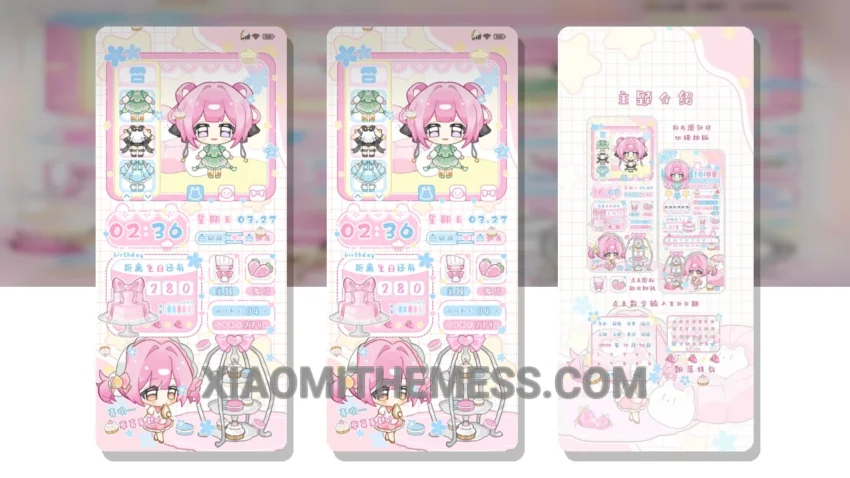
Dark mode is my jam. I mean, who needs a bright, eye-searing interface when you can have a sleek, dark mode optimized theme like Cute Berry’s Wardrobe? This theme is a game-changer for anyone who loves the elegance of dark interfaces.
The first thing I noticed about this theme is its unique pastel aesthetic. It’s like a breath of fresh air, adding a touch of vibrancy to my otherwise dull home screen. And the best part? It’s fully compatible with HyperOS, MIUI 12, MIUI 13, and MIUI 14, so I don’t have to worry about any compatibility issues.
The Cute Berry’s Wardrobe theme offers a range of customization options, including icon pack integration, custom boot animation, and AOD custom themes. I can also customize my lock screen with interactive widgets and a custom control center. The theme is optimized for AMOLED screens, providing a pure black background that saves battery and reduces eye strain.
I love how the theme is designed to be lightweight, which doesn’t drain my battery. The theme is also lag-free, providing a smooth 120Hz animation experience. However, I did notice that the theme can be a bit slow to load sometimes, which can be frustrating.
To be honest, I’ve tried many themes before, but this one is definitely my favorite. The combination of its elegant design, customization options, and performance boost makes it a must-have for any Xiaomi or Redmi device.
Theme Information
🛠️ How to Install This MTZ Theme
- Download the MTZ file to your device.
- Open the official Themes app and go to your profile.
- Import & Apply the downloaded file.