
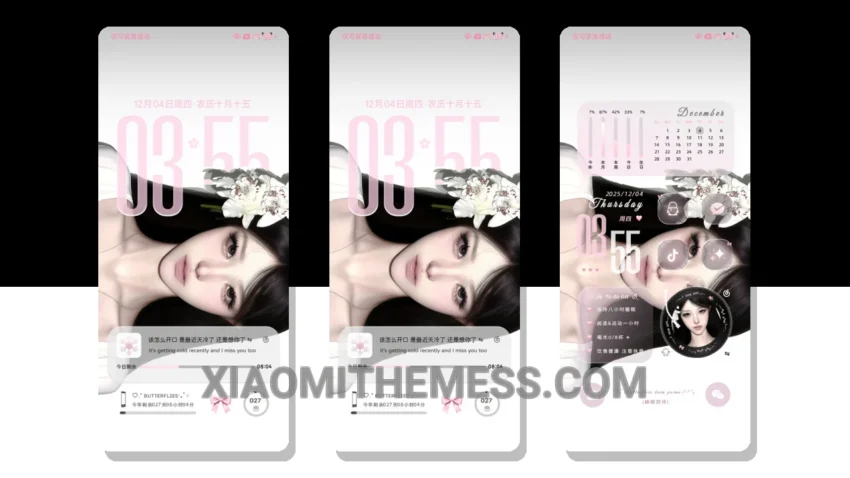
Dark mode, all the time. That’s my motto. So, when I stumbled upon the Screen Filled With Love theme, I was immediately drawn to its elegant dark interface. The theme is fully compatible with HyperOS, MIUI 12, MIUI 13, and MIUI 14, making it a great option for Xiaomi and Redmi devices.
The first thing I noticed about the theme was its beautiful dark mode optimization. The AMOLED pure black theme is stunning, and it really helps to reduce eye strain and save battery life. Plus, the 120Hz smooth animations make for a lag-free experience.
Another highlight of the theme is its lightweight design. It’s not bloated with unnecessary features, which means it won’t slow down your device. And, with its system optimization and performance boost, you can expect a seamless user experience.
One of the things that sets this theme apart is its Glassmorphism UI. It adds a touch of elegance to the overall design, and it’s really easy on the eyes. However, some users may find the theme’s minimal vibrant design to be a bit too simple.
In my testing, I found the theme to be extremely easy to use. The custom control center and redesigned status bar make it simple to navigate, and the interactive lockscreen widgets are a nice touch. Plus, the theme’s icon pack integration and custom boot animation are great features for those who like to customize their device.
To be honest, I’m really impressed with the Screen Filled With Love theme. It’s a great option for anyone looking for a beautiful, functional, and customizable theme for their Xiaomi or Redmi device. And, with its compatibility with HyperOS, MIUI 12, MIUI 13, and MIUI 14, it’s a great choice for anyone looking for a theme that will work seamlessly with their device.
Theme Information
🛠️ How to Install This MTZ Theme
- Download the MTZ file to your device.
- Open the official Themes app and go to your profile.
- Import & Apply the downloaded file.