
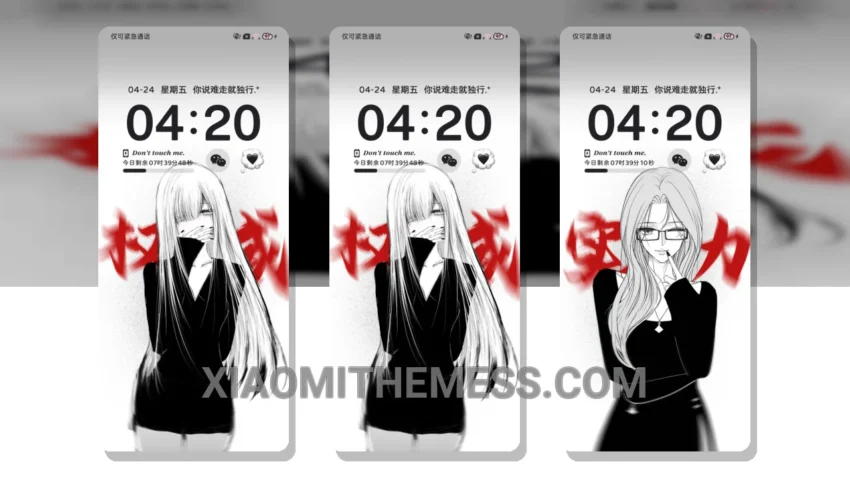
Total visual overhaul. That is exactly what you get the second you apply this setup. Sovereign Maiden Dark completely shreds the boring stock look of your phone and replaces it with a moody, deep aesthetic. If you are obsessed with heavy customization, this is your holy grail. It is fully compatible with HyperOS, MIUI 12, MIUI 13, and MIUI 14, meaning almost any modern Xiaomi, Redmi, or POCO device can run it flawlessly.
The magic starts with the custom control center. It looks incredibly sleek. The toggle buttons get a complete redesign, matching the dark, authoritative vibe of the overall interface. You also get a beautifully redesigned status bar that alters the battery icon and signal bars into something unrecognizable from stock. This setup delivers a super clean interface that makes daily navigation feel premium, plus it actually runs super light with a noticeable performance boost.
Lock screen customization is where this theme flexes its muscles. It comes packed with interactive lockscreen widgets that let you control music and check notifications without even entering your home screen. The level of detail here is insane, which is why it is one of the most exciting MTZ themes available right now. However, you will need a bit of free storage space, as the sheer amount of custom assets makes the file size slightly larger than your average basic layout. Still, the visual payoff is absolutely worth those extra megabytes.
To be honest, I am absolutely blown away by how much this transforms the UI. In my testing on my primary phone, the dark color scheme paired with the sharp accents made my device feel brand new. If you love deep, system-wide changes rather than just a simple wallpaper swap, Sovereign Maiden Dark is easily one of the best HyperOS themes you can install right now.
Theme Information
🛠️ How to Install This MTZ Theme
- Download the MTZ file to your device.
- Open the official Themes app and go to your profile.
- Import & Apply the downloaded file.