
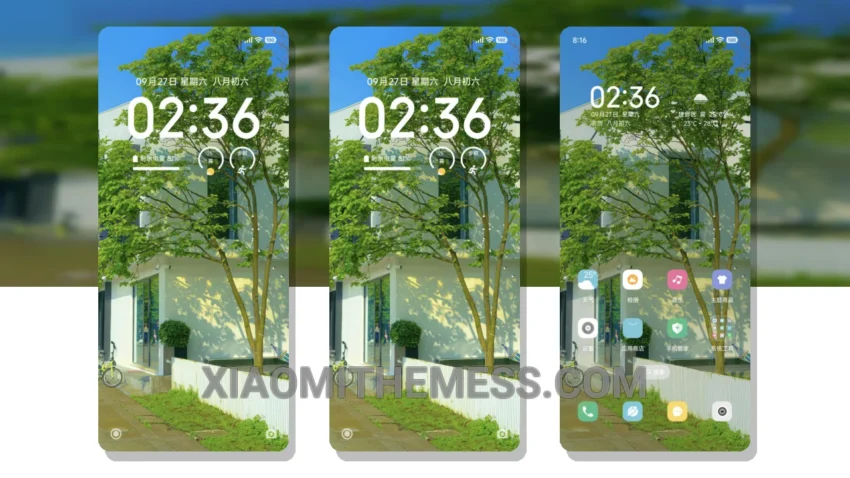
I’m obsessed with minimal vibrant themes that completely transform my device’s look. A Touch of Serenity is one such theme that caught my attention. This theme is a great example of pastel aesthetic themes that can give your device a unique and clean look.
The theme is fully compatible with HyperOS, MIUI 12, MIUI 13, and MIUI 14, making it a great option for Xiaomi users. One of the best things about this theme is its lightweight design, which means it won’t cause any significant battery drain.
The theme comes with a range of features, including a custom control center, redesigned status bar, and interactive lockscreen widgets. The theme also supports icon pack integration, allowing you to further customize your device’s look.
Key Features and details
In my opinion, the theme’s clean interface is one of its major highlights. It makes the device look sleek and modern, and the pastel colors add a touch of elegance. Another highlight is the theme’s compatibility with various android customization apps, which allows you to customize your device even further.
However, one thing to note is that the theme may not be suitable for users who prefer a more complex and feature-rich theme. But for those who want a clean and minimalist look, A Touch of Serenity is a great option.
To be honest, I’m really impressed with this theme, and I think it’s a great choice for anyone looking to give their device a unique and stylish look. The theme’s compatibility with HyperOS and other MIUI versions makes it a great option for Xiaomi users, and its lightweight design ensures that it won’t cause any battery drain.
Theme Information
🛠️ How to Install This MTZ Theme
- Download the MTZ file to your device.
- Open the official Themes app and go to your profile.
- Import & Apply the downloaded file.