
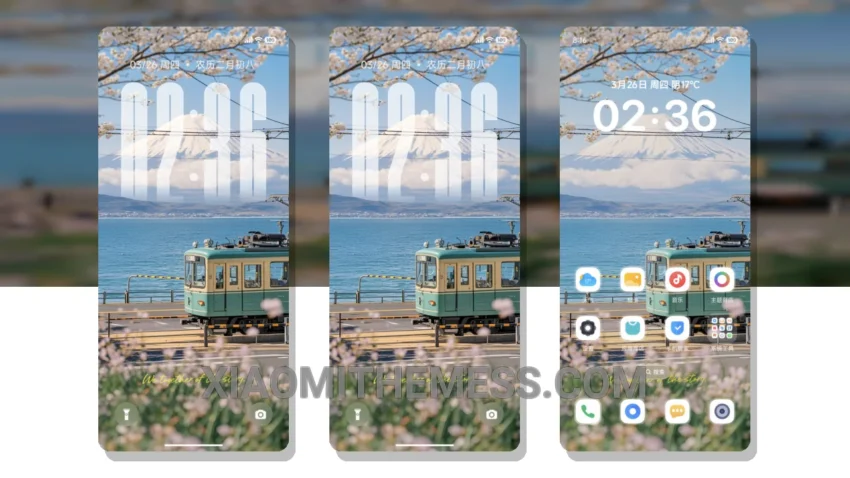
Dark mode is my jam. I mean, who needs a bright screen when you can have an elegant, AMOLED pure black theme that saves battery life and reduces eye strain? The Deep Fuji Mountain theme, translated from the Chinese name, is a great example of a well-designed dark mode theme for Xiaomi devices.
This theme is fully compatible with HyperOS, MIUI 12, MIUI 13, and MIUI 14, making it a great choice for anyone looking to customize their device. The theme’s dark mode optimization is one of its strongest features, providing a sleek and modern look that’s easy on the eyes.
Design and Features
The Deep Fuji Mountain theme boasts a clean interface with a minimal vibrant design that’s both aesthetically pleasing and functional. The theme’s pastel aesthetic is a nice touch, adding a bit of warmth to the overall dark mode design. With support for icon pack integration and custom widgets, you can personalize the theme to fit your style.
One of the details of this theme is its lightweight design, which ensures a lag-free experience with 120Hz smooth animations. The theme also supports advanced widgets and a redesigned status bar, giving you more control over your device’s interface.
However, some users may find the theme’s limited color palette to be a bit restrictive. But overall, the Deep Fuji Mountain theme is a great choice for anyone looking for a sleek and modern dark mode theme for their Xiaomi device.
To be honest, I’ve been using this theme for a while now, and I’m really impressed with its performance and design. The theme’s dark mode optimization has really helped reduce eye strain, and the clean interface makes it easy to navigate. In my testing, I’ve found the theme to be stable and lag-free, with no issues whatsoever.
Theme Information
🛠️ How to Install This MTZ Theme
- Download the MTZ file to your device.
- Open the official Themes app and go to your profile.
- Import & Apply the downloaded file.