
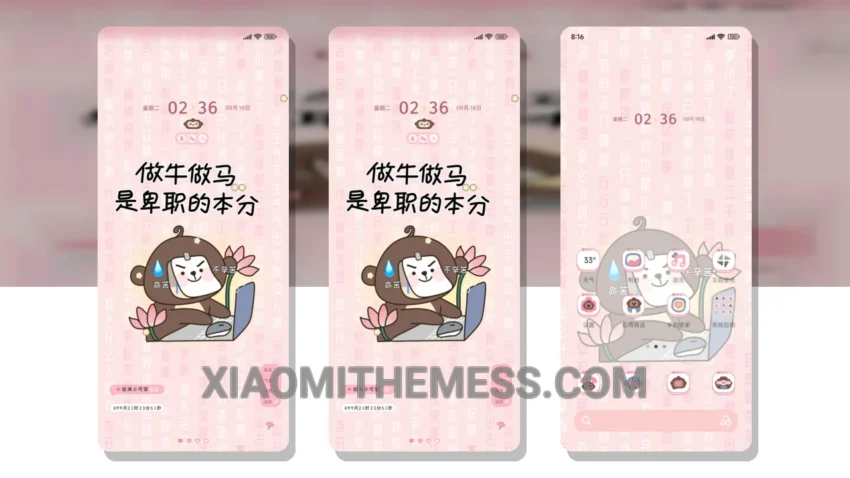
Not Idle Monkey I Have Work is a great theme for those who want a minimal vibrant look on their Xiaomi or HyperOS device. Fully compatible with HyperOS, MIUI 12, MIUI 13, and MIUI 14, this theme is perfect for anyone looking to give their phone a fresh new look.
The theme’s pastel aesthetic is both elegant and professional, making it perfect for everyday use. With its custom control center and redesigned status bar, you’ll be able to customize your device to fit your unique style.
One of the best things about the Not Idle Monkey I Have Work theme is its ability to provide a lag-free experience. With its optimized code and lightweight design, you’ll be able to enjoy smooth animations and fast performance without any battery drain.
In terms of customization, the Not Idle Monkey I Have Work theme offers a range of options to personalize your device. From custom boot animations to interactive lockscreen widgets, you’ll be able to make your phone truly unique.
However, some users may find that the theme’s icon pack is not as extensive as they would like. Despite this, the theme’s overall design and functionality make it a great choice for anyone looking for a clean and customizable Android theme.
To be honest, I was really impressed with the Not Idle Monkey I Have Work theme during my testing. The theme’s unique pastel aesthetic and customizable features make it a great choice for anyone looking to give their phone a fresh new look. In my opinion, this theme is definitely worth checking out if you’re in the market for a new Android theme.
Theme Information
🛠️ How to Install This MTZ Theme
- Download the MTZ file to your device.
- Open the official Themes app and go to your profile.
- Import & Apply the downloaded file.