
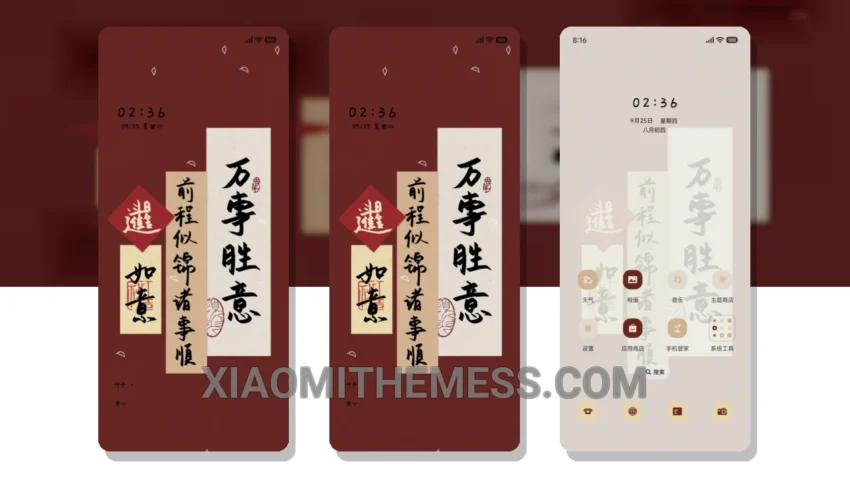
The Smooth Success MTZ theme, translated from the Chinese name 手写诸事顺利, offers a great way to customize your Xiaomi, HyperOS, or MIUI device with a premium UI. This theme is fully compatible with HyperOS, MIUI 12, MIUI 13, and MIUI 14, making it versatile for various devices.
With the Smooth Success MTZ theme, you get a clean interface that is both elegant and professional. The theme’s design focuses on usability and readability, making it perfect for daily use. One of the notable features of this theme is its support for dark mode optimization, which not only saves battery but also provides a sleek look.
Key Features and Compatibility
The theme is designed to be lightweight, ensuring that it does not cause any battery drain or lag on your device. This makes it ideal for those who want a seamless and efficient user experience. Additionally, the Smooth Success MTZ theme supports 120Hz smooth animations, contributing to a lag-free experience.
In terms of customization, the theme offers several options, including icon pack integration and a volume panel customizer. This allows users to personalize their home screen and interface according to their preferences. However, one thing to note is that the theme’s customization options, while extensive, may not be as comprehensive as some users might hope, particularly in terms of widgets.
To be honest, in my testing, the Smooth Success MTZ theme has been a pleasure to use, offering a clean and aesthetic home screen that is both functional and visually appealing. The theme’s focus on minimalism and usability makes it a great choice for those looking for a no-frills, high-performance theme for their Xiaomi or HyperOS device.
Theme Information
🛠️ How to Install This MTZ Theme
- Download the MTZ file to your device.
- Open the official Themes app and go to your profile.
- Import & Apply the downloaded file.