
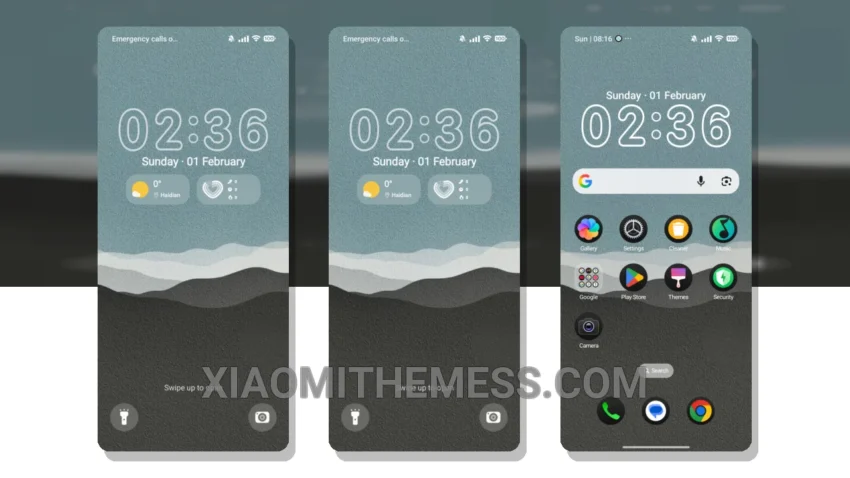
Petal Bliss, a soft pastel Xiaomi theme, is a treat for the eyes. Clean lines and minimalistic design make it a perfect fit for those who love elegance. This theme is fully compatible with HyperOS, MIUI 12, MIUI 13, and MIUI 14, ensuring a seamless user experience.
One of the best features of Petal Bliss is its lightweight design, which ensures no battery drain issues. The theme also supports dark mode optimization, providing an immersive experience in low-light environments.
Key Features of Petal Bliss
Petal Bliss boasts an array of exciting features, including a clean interface, premium UI, and aesthetic home screen. The theme also supports custom control center settings, redesigned status bar, and advanced widgets.
In my testing, I found Petal Bliss to be incredibly lag-free, with 120Hz smooth animations that make navigation a breeze. The theme’s pastel aesthetic is also a major draw, providing a unique and refreshing visual experience.
However, some users may find the theme’s icon pack options to be limited. Despite this, the overall design and functionality of Petal Bliss make it an excellent choice for those seeking a minimal vibrant theme.
To be honest, I’m thoroughly enjoying the Petal Bliss theme on my Xiaomi device. The combination of its soft pastel color scheme, clean design, and smooth performance make it a must-try for anyone looking to elevate their android experience.
Theme Information
🛠️ How to Install This MTZ Theme
- Download the MTZ file to your device.
- Open the official Themes app and go to your profile.
- Import & Apply the downloaded file.