
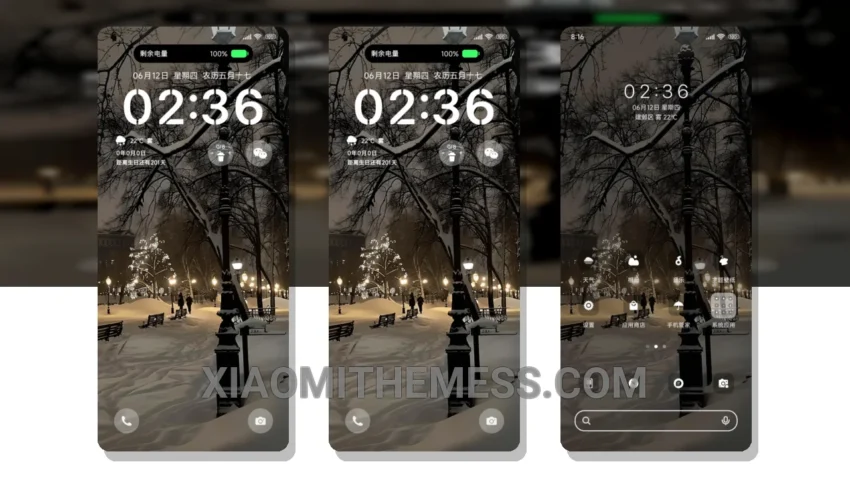
I love the look of dark mode on my Xiaomi device, and the Waiting for Your Winter MTZ theme takes it to the next level. With its sleek, AMOLED pure black theme, it’s perfect for saving battery and reducing eye strain.
The theme is fully compatible with HyperOS, MIUI 12, MIUI 13, and MIUI 14, so you can enjoy it regardless of your device’s operating system. One of the best things about this theme is its lag-free experience, thanks to its system optimization and performance boost.
The Waiting for Your Winter MTZ theme also features a clean interface and premium UI, making it a great choice for those who want a sleek and modern look. The theme’s custom control center and redesigned status bar are also notable features.
However, one thing to note is that the theme’s custom boot animation can be a bit slow, which may be a caveat for some users. Despite this, the theme’s overall design and features make it a great choice for anyone looking for a sleek and modern Xiaomi theme.
In my testing, I found the Waiting for Your Winter MTZ theme to be a great choice for anyone who wants a dark mode optimization and a battery saver UI. The theme’s 120Hz smooth animations and lag-free experience make it a joy to use, and its customization options are a great bonus.
Theme Information
🛠️ How to Install This MTZ Theme
- Download the MTZ file to your device.
- Open the official Themes app and go to your profile.
- Import & Apply the downloaded file.