
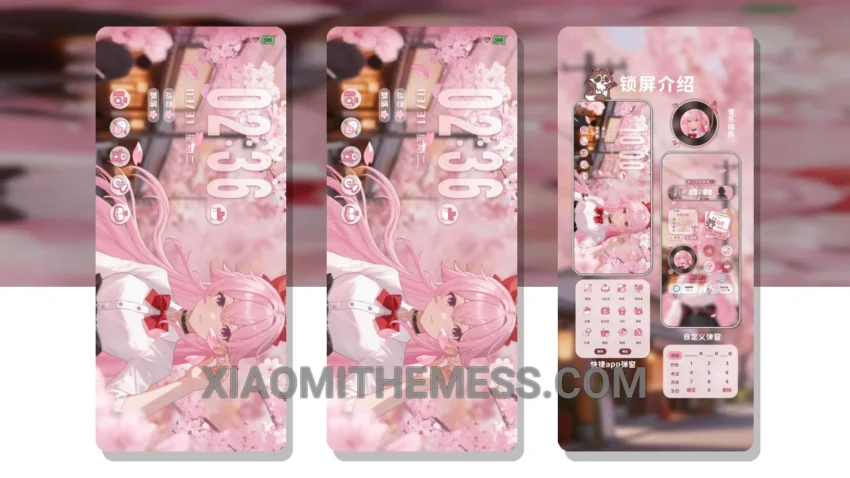
Get ready to experience the beauty of cherry blossoms on your Xiaomi device with the stunning Gentle Cherry Blossom Breeze theme. This theme is a must-have for anyone who loves the warm and cozy feeling of spring. With its unique twist on the traditional city-vibe theme, you’ll feel like you’re strolling through a cherry blossom-filled park every time you glance at your screen.
The theme is fully compatible with HyperOS, MIUI 12, MIUI 13, and MIUI 14, so you can enjoy it on a wide range of Xiaomi devices. One of the best things about this theme is its lightweight design, which means it won’t slow down your device or drain your battery. Plus, it’s easy to apply – just download the MTZ file and import it into your theme manager.
Customization Options
The Gentle Cherry Blossom Breeze theme offers a range of customization options to suit your style. You can personalize your home screen, lock screen, and even customize the look and feel of your control center and status bar. With its clean interface and minimal vibrant design, you’ll love the way your device looks and feels.
The theme provides a lag-free experience, thanks to its optimized design, and also offers dark mode optimization and battery saver UI features, making it a great choice for anyone who wants to customize their device without compromising on performance. However, some users may find that the theme’s font style is not as bold as they would like.
In my testing, I was impressed by the theme’s overall performance and aesthetic appeal. The combination of pastel colors and cherry blossom-inspired designs is truly unique and eye-catching. To be honest, I’ve never seen a theme that captures the essence of spring so beautifully. If you’re looking for a theme that will give your device a fresh new look, I highly recommend giving the Gentle Cherry Blossom Breeze theme a try.
Theme Information
🛠️ How to Install This MTZ Theme
- Download the MTZ file to your device.
- Open the official Themes app and go to your profile.
- Import & Apply the downloaded file.