
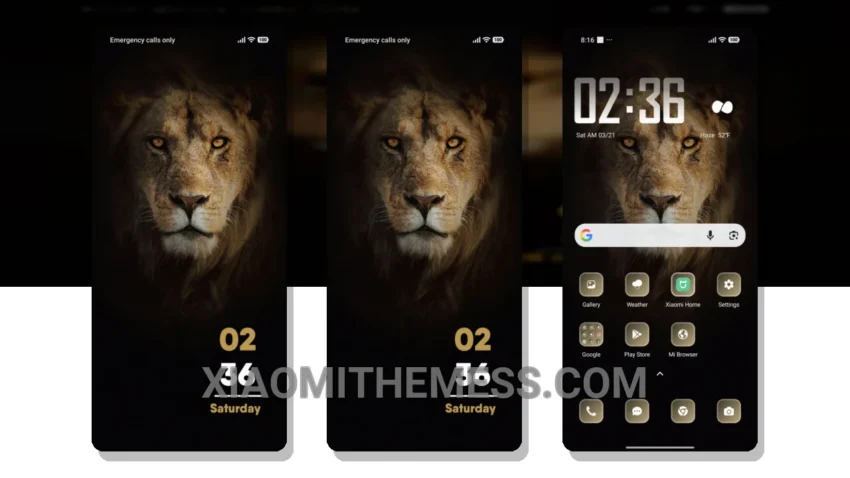
Dark mode is my jam. But sometimes, a vibrant theme can be a nice change of pace. The Lion Face theme is a great choice for those looking for a unique and elegant design.
What really stands out is the theme’s clean interface, which provides a premium UI experience. The design is minimal and vibrant, with a focus on pastel aesthetic themes that give your device a fresh look.
In terms of performance, the Lion Face theme is lightweight and does not cause any significant battery drain. This makes it an excellent choice for those who want a seamless and lag-free experience. The 120Hz smooth animations are a nice touch, too.
Customization and Compatibility
The Lion Face theme is fully compatible with HyperOS, MIUI 12, MIUI 13, and MIUI 14, making it accessible to a wide range of Xiaomi and Redmi devices. The ability to customize the theme, including icon pack integration and custom control center, is a significant highlight.
To be honest, I was impressed with the Lion Face theme’s overall design and functionality. The Material You dynamic theming is a nice touch, too. If you’re looking for a theme that’s a bit different from the usual dark mode themes, the Lion Face theme might be the way to go.
Theme Information
🛠️ How to Install This MTZ Theme
- Download the MTZ file to your device.
- Open the official Themes app and go to your profile.
- Import & Apply the downloaded file.