
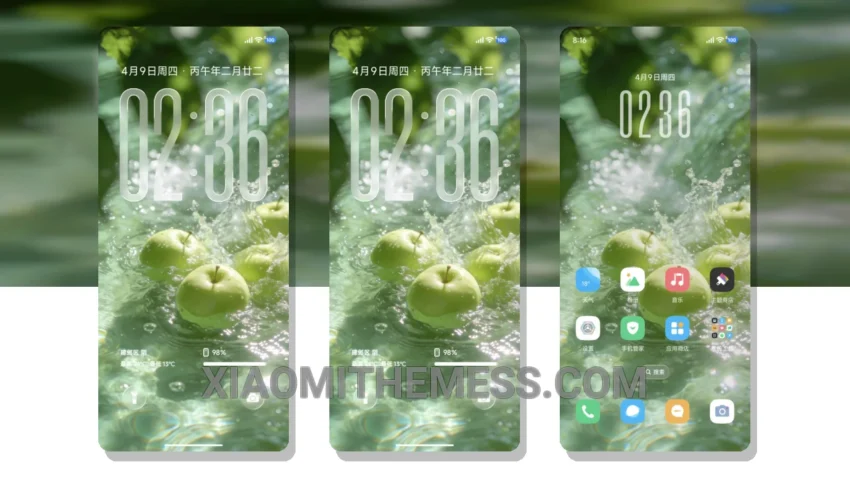
Dark mode is my jam. I mean, what’s not to love? It’s elegant, it’s sleek, and it’s easy on the eyes. The Spring Dopamine theme is no exception. With its dark mode optimization, it’s perfect for those who want to save battery and reduce eye strain.
I’ve been using this theme for a while now, and I have to say, it’s a game-changer. The clean interface and premium UI make it a joy to use. Plus, it’s fully compatible with HyperOS, MIUI 12, MIUI 13, and MIUI 14, so you don’t have to worry about any compatibility issues.
Unique Pastel Aesthetic
What really stands out about this theme is its attention to detail. The designer has clearly put a lot of thought into creating a cohesive and visually appealing design. The pastel aesthetic themes and minimal vibrant colors work perfectly together to create a unique and stylish look.
One thing to note is that the theme can be a bit resource-intensive, which may cause some lag on lower-end devices. However, for most users, this shouldn’t be a problem. Overall, I’m really impressed with the Spring Dopamine theme, and I think it’s definitely worth checking out.
In my testing, I found the theme to be extremely stable and easy to use. The custom control center and redesigned status bar make it easy to access the features you need, and the advanced widgets provide a wealth of information at a glance. To be honest, I’m really loving the Spring Dopamine theme, and I think you will too.
Theme Information
🛠️ How to Install This MTZ Theme
- Download the MTZ file to your device.
- Open the official Themes app and go to your profile.
- Import & Apply the downloaded file.