
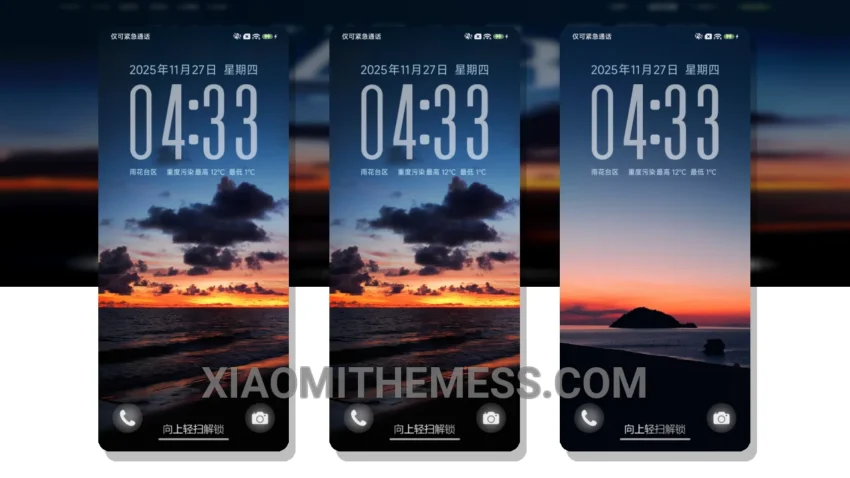
Simple, yet elegant. That’s what I love about the Sunset Healing Style theme. It’s a great xiaomi theme that brings a touch of serenity to my home screen.
What really stands out is the theme’s unique aesthetic, which combines pastel colors with a clean interface. The result is a visually stunning experience that’s both calming and beautiful.
Compatibility and Performance
The theme is fully compatible with HyperOS, MIUI 12, MIUI 13, and MIUI 14, making it accessible to a wide range of devices. Plus, it’s designed to be lag-free, ensuring a seamless user experience.
One of the highlights of this theme is its ability to provide a premium UI experience without compromising on performance. The theme is also highly customizable, allowing users to personalize their home screen with icon packs and custom boot animations.
Aesthetic and Design
However, one thing to note is that the theme may not be suitable for those who prefer a more vibrant and bold design. The minimal vibrant approach may not appeal to everyone, but for those who appreciate a more subtle aesthetic, this theme is a great choice.
In my testing, I found the theme to be highly responsive and efficient, with no noticeable lag or battery drain. The dark mode optimization is also well-implemented, providing a great viewing experience in low-light environments.
To be honest, I’m really impressed with the Sunset Healing Style theme. It’s a great example of how a well-designed theme can enhance the overall user experience, providing a clean and elegant interface that’s both functional and beautiful.
Theme Information
🛠️ How to Install This MTZ Theme
- Download the MTZ file to your device.
- Open the official Themes app and go to your profile.
- Import & Apply the downloaded file.