
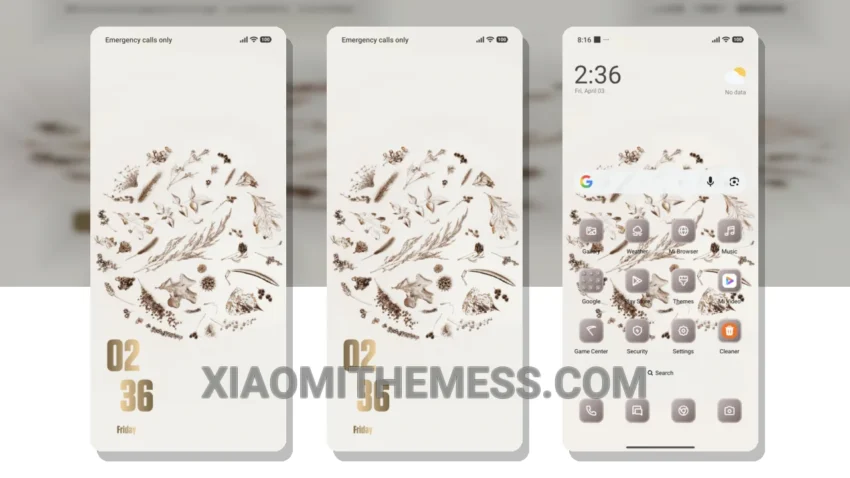
Simple. Elegant. Pastel aesthetic. That’s what I love about the Minimal Grains theme. It’s a breath of fresh air for my Xiaomi phone. The theme is fully compatible with HyperOS, MIUI 12, MIUI 13, and MIUI 14, so I don’t have to worry about any compatibility issues.
The Minimal Grains theme is all about clean lines and minimal design. It’s perfect for those who want a clutter-free home screen. The theme also supports dark mode optimization for a premium UI experience. Plus, it’s lightweight, so I don’t have to worry about battery drain.
One of the best things about the Minimal Grains theme is its customizability. I can integrate my favorite icon packs and customize the control center to fit my personal style. The theme also supports 120Hz smooth animations for a seamless user experience.
In my opinion, the Minimal Grains theme is a must-have for anyone who wants a clean and elegant design on their Xiaomi phone. It’s easy to apply, and the customization options are endless. To be honest, I’m really impressed with the Minimal Grains theme, and I think you will be too.
The only thing I wish the theme had was more color options. Sometimes I feel like the pastel colors are a bit too subtle, and I want something a bit bolder. But overall, the Minimal Grains theme is a great choice for anyone who wants a simple and elegant design on their phone.
Theme Information
🛠️ How to Install This MTZ Theme
- Download the MTZ file to your device.
- Open the official Themes app and go to your profile.
- Import & Apply the downloaded file.