
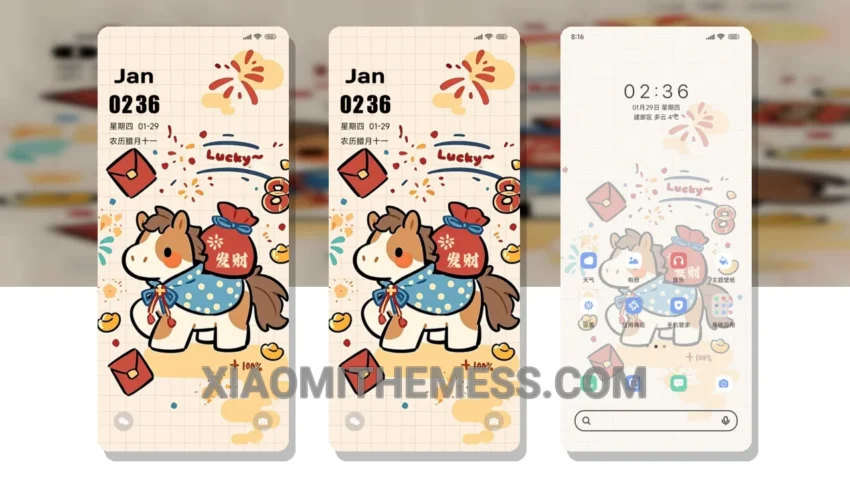
Dark mode is where it’s at. I mean, who needs a bright, eye-searing interface when you can have a sleek, dark mode theme that saves battery and looks amazing? The Hand-Painted New Year Blessings theme is a great example of this, with its elegant, hand-painted design that’s perfect for the new year.
This theme is all about contrast and minimalism. The dark background really makes the colors pop, and the overall design is very clean and intuitive. Plus, it’s fully compatible with HyperOS, MIUI 12, MIUI 13, and MIUI 14, so you can enjoy it on your Xiaomi device without any issues.
Features and Customization
The Hand-Painted New Year Blessings theme offers a range of features and customization options, including icon pack integration, launcher customization, and a redesigned status bar. You can also customize the theme’s color scheme to match your personal style.
One of the best things about this theme is its dark mode optimization. The theme is designed to work perfectly with AMOLED displays, and it features a pure black mode that saves battery and reduces eye strain. Plus, the theme is very lightweight, so you don’t have to worry about it slowing down your device.
In terms of customization, the theme offers a range of options, including custom boot animation, AOD custom themes, and interactive lockscreen widgets. You can also customize the volume panel and notification shade to match your personal style.
However, one thing to note is that the theme may not be suitable for devices with low storage space, as it requires a significant amount of space to install and run smoothly.
To be honest, I’m really impressed with the Hand-Painted New Year Blessings theme. The design is beautiful, the features are great, and the customization options are top-notch. If you’re looking for a new theme for your Xiaomi device, I highly recommend checking this one out.
Theme Information
🛠️ How to Install This MTZ Theme
- Download the MTZ file to your device.
- Open the official Themes app and go to your profile.
- Import & Apply the downloaded file.