
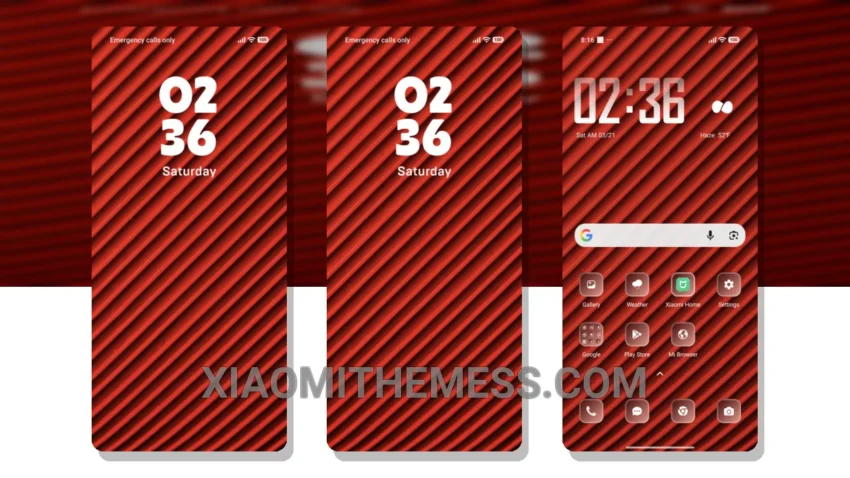
Red Lines, a sleek and modern theme that’s all about giving your Xiaomi device a fresh new look. I love how it changes the default look, making it feel like a completely different phone. The theme is fully compatible with HyperOS, MIUI 12, MIUI 13, and MIUI 14, so you don’t have to worry about any compatibility issues.
The Red Lines theme is all about minimal vibrant design, with a focus on clean lines and simple icons. It’s perfect for those who want a premium UI without any clutter. One of the best things about this theme is that it’s very easy to apply, and it doesn’t require any special skills or knowledge.
In terms of customization, the Red Lines theme offers a lot of options. You can customize the control center, status bar, and icons to give your device a unique look. The theme also supports dark mode optimization, which is great for saving battery life and reducing eye strain.
Another highlight of the Red Lines theme is that it’s very lightweight, which means it doesn’t cause any battery drain or system lag. This is especially important for those who use their devices heavily throughout the day. However, one thing to note is that the theme may not be suitable for those who prefer a more complex or feature-rich theme.
Overall, the Red Lines theme is a great option for those who want a sleek and modern look on their Xiaomi device. It’s easy to apply, customizable, and lightweight, making it a great choice for anyone looking to give their device a fresh new look.
In my testing, I found the Red Lines theme to be very stable and reliable, with no major issues or bugs. The theme is also very easy to navigate, with a clean and intuitive interface that makes it easy to find what you’re looking for. To be honest, I’m really impressed with the Red Lines theme, and I think it’s a great option for anyone looking to customize their Xiaomi device.
Theme Information
🛠️ How to Install This MTZ Theme
- Download the MTZ file to your device.
- Open the official Themes app and go to your profile.
- Import & Apply the downloaded file.