
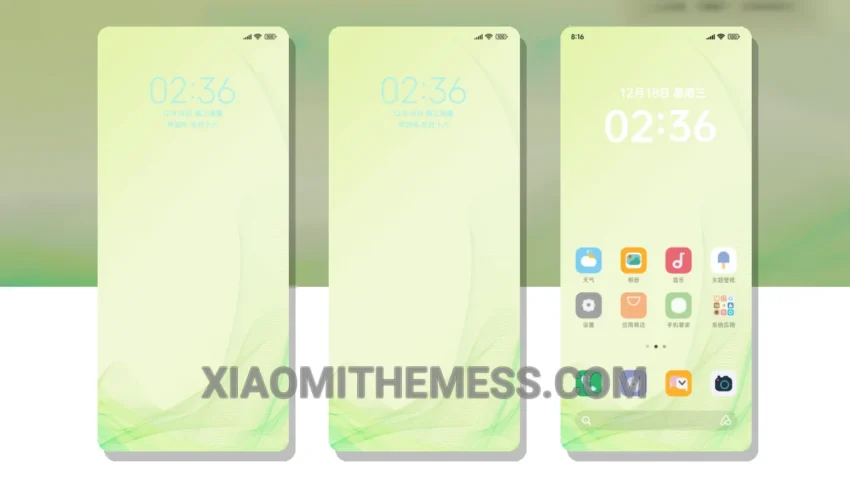
Dark mode just got a whole lot better. The Eyesafe Green theme is here, and it’s a game-changer. This theme is all about elegance and simplicity, with a soothing dark mode design that’s easy on the eyes.
One thing that stands out is the theme’s compatibility. It’s fully compatible with HyperOS, MIUI 12, MIUI 13, and MIUI 14, making it a great choice for anyone with a Xiaomi device.
Key Features
The Eyesafe Green theme boasts a range of features that make it a must-have for anyone looking for a great dark mode theme. For starters, it’s designed with AMOLED pure black theme and battery saver UI in mind, ensuring a lag-free experience and no battery drain.
Another highlight is the theme’s customization options. You can integrate your own icon packs and customize the control center to your heart’s content. Plus, the theme’s clean interface and premium UI make it a joy to use.
One potential caveat is that the theme may not be suitable for everyone, especially those who prefer brighter, more vibrant colors. However, for those who love dark mode, the Eyesafe Green theme is a great choice.
In my testing, I found the Eyesafe Green theme to be a great all-rounder. It’s easy to use, looks great, and doesn’t drain my battery. To be honest, I’m a big fan of dark mode, and this theme has become my go-to choice.
Theme Information
🛠️ How to Install This MTZ Theme
- Download the MTZ file to your device.
- Open the official Themes app and go to your profile.
- Import & Apply the downloaded file.