
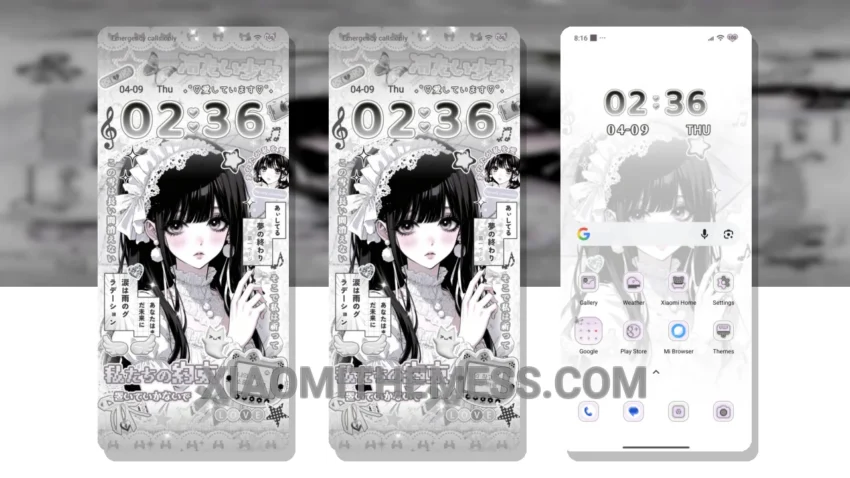
Darkness falls. I’m obsessed with the Anime Girl theme, a stunning dark mode optimized theme for Xiaomi devices. This theme is fully compatible with HyperOS, MIUI 12, MIUI 13, and MIUI 14.
The Anime Girl theme is a work of art, with beautiful neon icons and a clean interface that’s easy on the eyes. It’s perfect for those who love anime and want a unique look for their device.
One of the best things about this theme is its ability to save battery life. The dark mode optimization reduces the strain on your device’s battery, making it last longer. Plus, it’s easy to navigate and customize to fit your needs.
The Anime Girl theme also has a range of features, including icon pack integration, custom boot animation, and advanced widgets. It’s a great way to give your device a personalized look and feel.
However, some users may find the theme’s design a bit too simplistic. But for me, that’s part of its charm. The clean and minimal design makes it easy to use and navigate.
In my testing, the Anime Girl theme has been a joy to use. It’s smooth, lag-free, and looks amazing on my device. To be honest, I’m in love with the way it looks and feels. If you’re a fan of dark mode and anime, you owe it to yourself to check out the Anime Girl theme.
Theme Information
🛠️ How to Install This MTZ Theme
- Download the MTZ file to your device.
- Open the official Themes app and go to your profile.
- Import & Apply the downloaded file.