
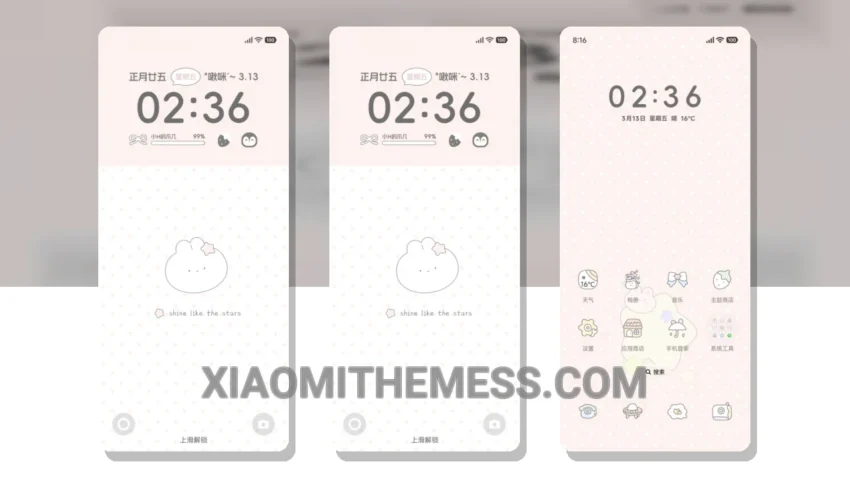
Simple. Elegant. Minimalist. These are the words that come to mind when describing the Simplified Wave Time theme. With its clean lines and pastel colors, this theme is a breath of fresh air for those who value a clutter-free home screen.
As I explore the theme, I notice the attention to detail in every aspect of the design. From the custom icons to the redesigned status bar, everything is carefully crafted to create a seamless and intuitive user experience.
One of the standout features of the Simplified Wave Time theme is its compatibility with HyperOS, MIUI 12, MIUI 13, and MIUI 14. This means that you can enjoy the theme’s beautiful design and robust features across various Xiaomi devices.
Key Features and details
The theme offers a range of details, including a lag-free experience and no battery drain. The lightweight design ensures that your device runs smoothly and efficiently, without sacrificing performance or style.
In addition to its technical details, the Simplified Wave Time theme also boasts a unique pastel aesthetic that is both visually striking and easy on the eyes. The theme’s use of soft colors and gentle gradients creates a soothing atmosphere that is perfect for everyday use.
However, one potential caveat of the theme is its limited customization options. While the theme does offer some flexibility in terms of icon packs and boot animations, it may not be enough for users who prefer a high degree of customization.
To be honest, I’m impressed by the Simplified Wave Time theme’s ability to balance form and function. The theme’s clean design and robust features make it an excellent choice for anyone looking to elevate their Xiaomi device’s aesthetic and performance.
Theme Information
🛠️ How to Install This MTZ Theme
- Download the MTZ file to your device.
- Open the official Themes app and go to your profile.
- Import & Apply the downloaded file.