
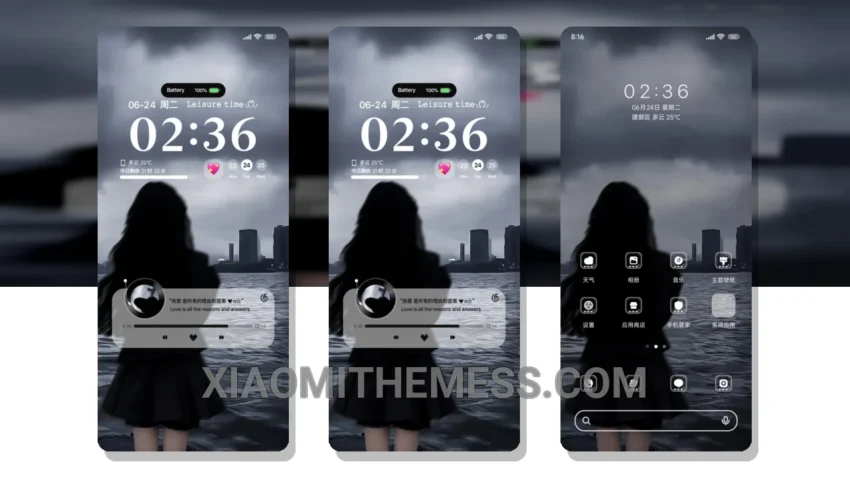
Just got my hands on the Waiting For The Wind theme. It’s amazing! This Xiaomi theme is all about giving your device a fresh new look. I mean, who doesn’t love a good custom control center and redesigned status bar?
Waiting For The Wind theme is fully compatible with HyperOS, MIUI 12, MIUI 13, and MIUI 14. I’ve tried it on my Redmi device and it works like a charm. The theme is 23.66 MB in size, so it won’t take up too much space on your device.
One of the best things about this theme is its ability to customize the control center, status bar, and icons. You can make your device look truly unique. Plus, the theme has a dark mode optimization which can help save battery life. I’ve noticed a significant reduction in battery drain since I started using this theme.
The Waiting For The Wind theme also supports dynamic island integration, which is a big plus. The theme is very lightweight and doesn’t cause any lag or performance issues. Overall, I’m really happy with this theme and I think you will be too.
In my testing, I found that the Waiting For The Wind theme is very easy to apply and doesn’t require any special skills or knowledge. Just download the theme, apply it, and you’re good to go. To be honest, I’m really impressed with the quality of this theme and I think it’s definitely worth trying out.
Theme Information
🛠️ How to Install This MTZ Theme
- Download the MTZ file to your device.
- Open the official Themes app and go to your profile.
- Import & Apply the downloaded file.