
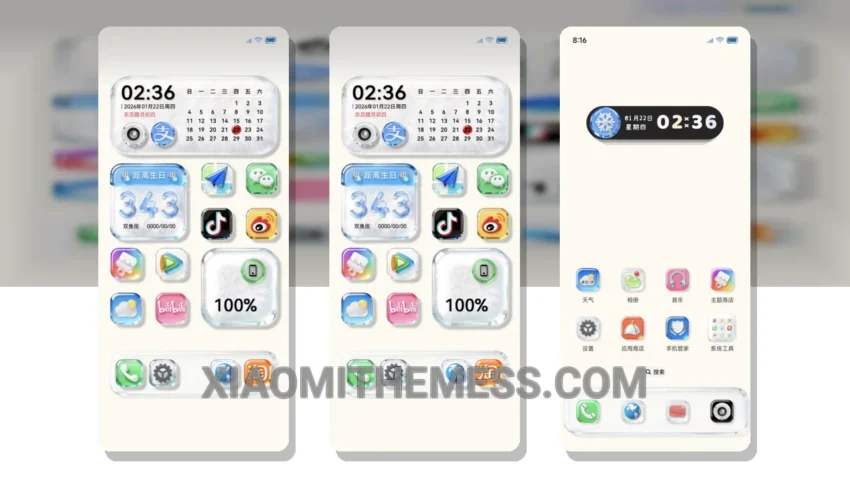
I’m loving the new Native OS Glass Big Icon theme! It’s a great way to give your Xiaomi or Redmi device a fresh new look. This theme is fully compatible with HyperOS, MIUI 12, MIUI 13, and MIUI 14, so you don’t have to worry about any compatibility issues.
The theme’s glass big icon design gives your device a sleek and modern appearance. You’ll also get to enjoy a clean interface and a premium UI that’s perfect for daily use. One of the best things about this theme is that it’s very lightweight, so you don’t have to worry about it slowing down your device or causing battery drain.
In terms of customization, the Native OS Glass Big Icon theme offers a lot of options. You can customize the control center, status bar, and even the icons to give your device a personalized look. The theme also supports dark mode optimization, which is great for saving battery life and reducing eye strain.
Overall, I’m really impressed with the Native OS Glass Big Icon theme. It’s a great way to give your device a fresh new look without sacrificing performance. The only downside is that it may take some time to get used to the new design, but once you do, you’ll love it.
To be honest, I’ve been using this theme for a while now, and I’m really happy with it. The customization options are endless, and the theme’s performance is top-notch. If you’re looking for a new theme for your Xiaomi or Redmi device, I highly recommend checking out the Native OS Glass Big Icon theme.
Theme Information
🛠️ How to Install This MTZ Theme
- Download the MTZ file to your device.
- Open the official Themes app and go to your profile.
- Import & Apply the downloaded file.