
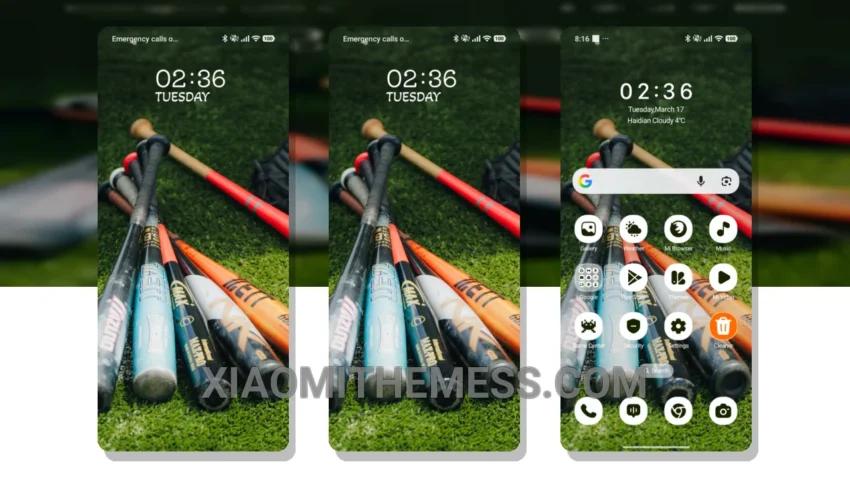
Dark mode, the way it should be. The Base Gear theme, translated from its original name, is a masterpiece of minimalism and elegance. With its clean interface and custom control center, this theme is perfect for those who want a premium UI without the clutter.
One of the standout features of the Base Gear theme is its dark mode optimization. The theme is designed to work seamlessly with AMOLED screens, providing a pure black background that reduces eye strain and saves battery life. The result is a viewing experience that’s both stylish and efficient.
The Base Gear theme is fully compatible with HyperOS, MIUI 12, MIUI 13, and MIUI 14, making it a great choice for Xiaomi users. The theme’s size is approximately 8.03 MB, making it a lightweight download that won’t take up too much space on your device.
In terms of customization, the Base Gear theme offers a range of options to personalize your home screen. From custom boot animations to interactive lockscreen widgets, you can tailor your device to fit your unique style. The theme also supports icon pack integration, allowing you to change up your icons and give your device a fresh new look.
Overall, the Base Gear theme is a great choice for anyone looking for a sleek and sophisticated look. While some users may find the theme’s minimalism to be a bit too sparse, the details of dark mode optimization and a clean interface make it well worth considering. To be honest, I’ve been using the Base Gear theme for a while now, and I can attest to its lag-free experience and system optimization. It’s a great choice for anyone looking to upgrade their Xiaomi device’s UI.
Theme Information
🛠️ How to Install This MTZ Theme
- Download the MTZ file to your device.
- Open the official Themes app and go to your profile.
- Import & Apply the downloaded file.