
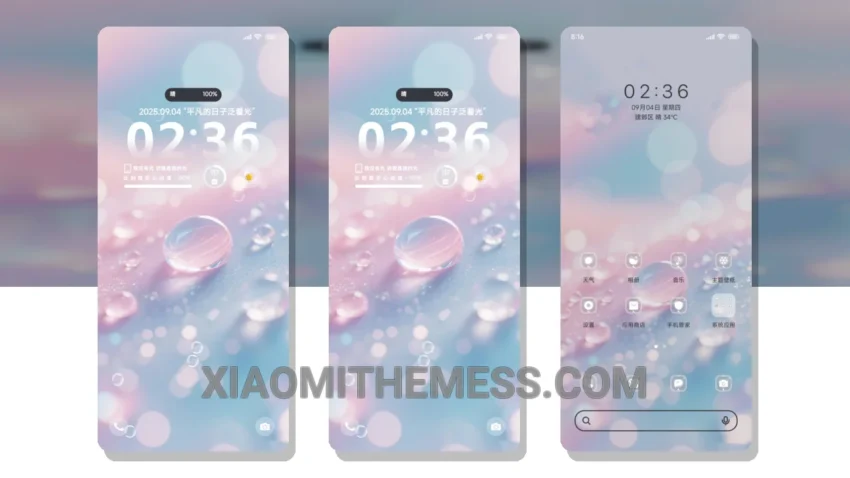
I love deep themes that change the control center, status bar, and icons. The Fantasy Droplet OS theme is one of them. It gives your device a fresh new look with its vibrant Glassmorphism UI.
The theme is fully compatible with HyperOS, MIUI 12, MIUI 13, and MIUI 14, so you don’t have to worry about compatibility issues. The Fantasy Droplet OS theme is a great choice for those who want a clean interface and a premium UI.
One of the best things about this theme is its ability to provide a lag-free experience with 120Hz smooth animations. The theme is also designed to be lightweight, which means it won’t drain your battery. The dark mode optimization is also a great feature, providing a battery saver UI and a great visual experience.
The Fantasy Droplet OS theme also allows you to customize the control center and status bar, giving you a unique look. However, some users may find the theme’s vibrant colors a bit overwhelming at times.
My Experience with the Theme
In my testing, I found the Fantasy Droplet OS theme to be a great choice for those who want a unique and customizable theme. To be honest, I was impressed by the theme’s ability to provide a smooth and lag-free experience. The theme’s vibrant Glassmorphism UI is also a great feature that sets it apart from other themes.
Overall, the Fantasy Droplet OS theme is a great choice for those who want a unique and customizable theme. With its vibrant Glassmorphism UI, clean interface, and premium UI, this theme is sure to impress. So, if you’re looking for a new theme for your Xiaomi device, be sure to check out the Fantasy Droplet OS theme.
Theme Information
🛠️ How to Install This MTZ Theme
- Download the MTZ file to your device.
- Open the official Themes app and go to your profile.
- Import & Apply the downloaded file.