
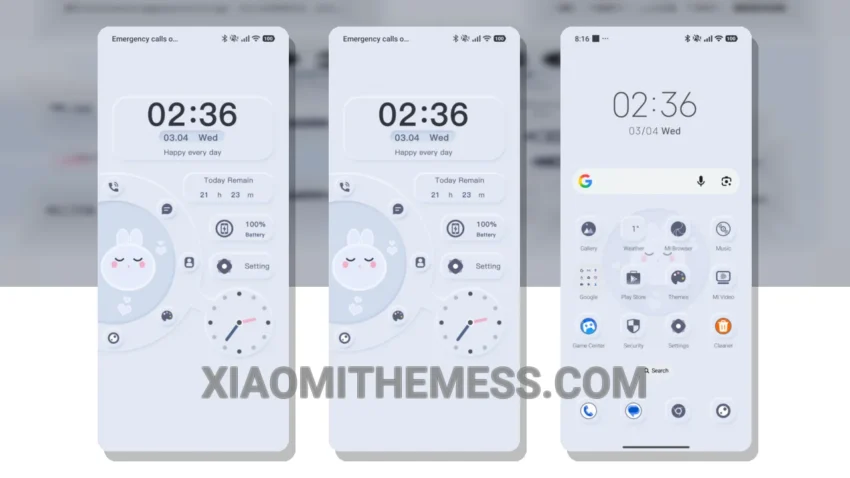
The Neo Slumber Bunny theme is a great choice for those who want a soft pastel aesthetic on their Xiaomi device. This theme is fully compatible with HyperOS, MIUI 12, MIUI 13, and MIUI 14, making it a versatile option for many users.
One of the best things about this theme is its clean interface, which makes it easy to navigate and use. The pastel colors used in the theme are also very soothing and can help to reduce eye strain.
In terms of customization, the Neo Slumber Bunny theme offers a range of options. Users can customize their home screen, lock screen, and notification shade to create a look that is unique to them.
Another highlight of this theme is its lightweight design, which means it won’t slow down your device. The theme is also optimized for battery life, so you can enjoy a lag-free experience without worrying about your battery draining quickly.
However, some users may find that the theme’s design is a bit too minimalist for their taste. But overall, the Neo Slumber Bunny theme is a great choice for those who want a simple and elegant look on their Xiaomi device.
To be honest, I was really impressed with the Neo Slumber Bunny theme when I tried it out. The theme’s soft pastel aesthetic and clean interface made it a joy to use, and I appreciated the range of customization options available. In my testing, I found that the theme was very stable and didn’t cause any issues with my device.
Theme Information
🛠️ How to Install This MTZ Theme
- Download the MTZ file to your device.
- Open the official Themes app and go to your profile.
- Import & Apply the downloaded file.