
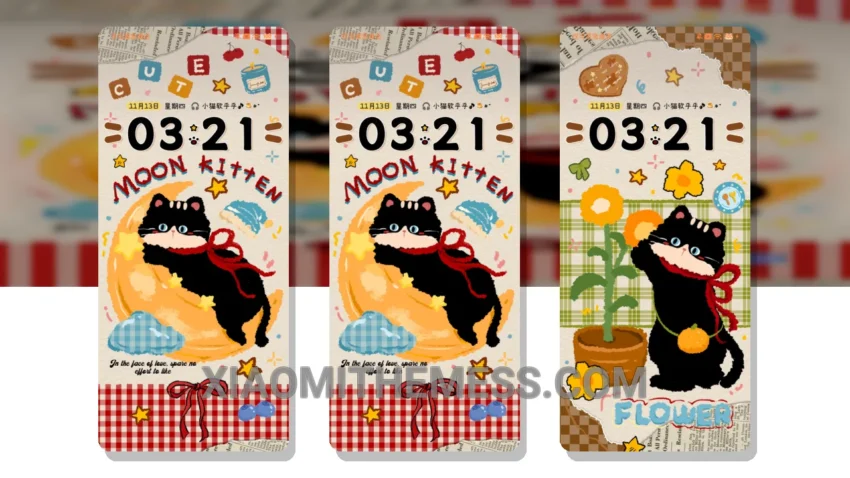
Simple. Elegant. The Vintage Moon Cute Black Cat theme is a great choice for those looking for a unique and minimalist look on their Xiaomi device. Fully compatible with HyperOS, MIUI 12, MIUI 13, and MIUI 14, this theme is versatile and easy to use.
The clean interface provides a seamless user experience, and the range of customization options, including icon pack integration and a custom control center, make it easy to personalize your device.
Theme Features
The Vintage Moon theme has a distinct pastel aesthetic that gives it a soft and calming look. Interactive lockscreen widgets and a custom boot animation add to its overall visual appeal.
In terms of performance, the Vintage Moon theme is designed to be lag-free, ensuring a smooth user experience. The theme is also optimized for battery life, with a focus on dark mode optimization to reduce battery drain.
One of the best things about this theme is its ability to provide a premium UI without sacrificing performance. The attention to detail and range of features make it a great choice for anyone looking to customize their Xiaomi device.
To be honest, I was impressed with the theme’s overall design and functionality. In my testing, the theme performed well, with no noticeable lag or battery drain issues. The Vintage Moon Cute Black Cat theme is a great option for those looking for a unique and elegant look on their Xiaomi device.
Theme Information
🛠️ How to Install This MTZ Theme
- Download the MTZ file to your device.
- Open the official Themes app and go to your profile.
- Import & Apply the downloaded file.