
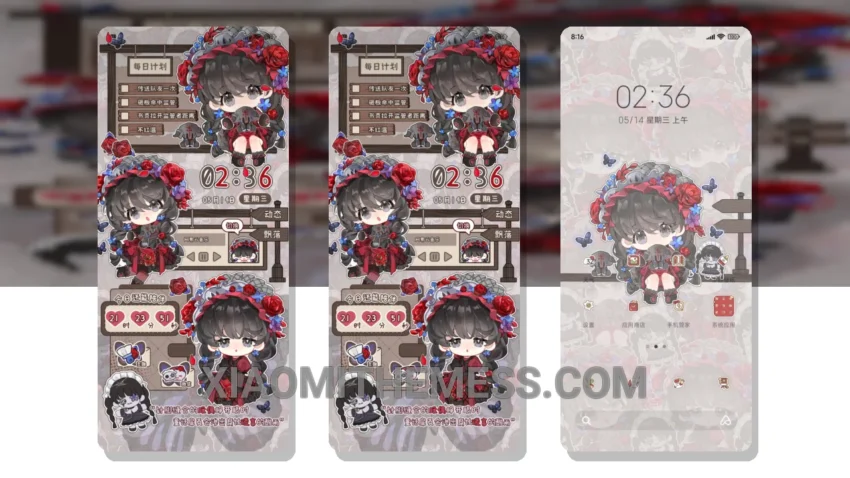
Get ready to give your Xiaomi device a fresh new look with the Cute Little Pomegranate MTZ theme! This adorable theme is fully compatible with HyperOS, MIUI 12, MIUI 13, and MIUI 14, making it a great option for anyone looking to customize their device.
The Cute Little Pomegranate MTZ theme is a great choice for those who want a clean interface and a premium UI experience. With its pastel aesthetic and minimal vibrant design, this theme is sure to give your device a unique and stylish look.
One of the best things about the Cute Little Pomegranate MTZ theme is its ability to completely transform your device’s look and feel. From the custom control center to the redesigned status bar, every aspect of the theme has been carefully designed to provide a seamless and intuitive user experience.
In addition to its great looks, the Cute Little Pomegranate MTZ theme is also highly functional. It supports custom boot animation and AOD custom themes, allowing you to further personalize your device. The theme also includes interactive lockscreen widgets and a volume panel customizer, making it easy to access your favorite features and settings.
Overall, the Cute Little Pomegranate MTZ theme is a great choice for anyone looking to customize their Xiaomi device. With its unique design, lag-free experience, and high level of functionality, this theme is sure to provide a great user experience. To be honest, I was really impressed with the theme’s performance and battery life, and I think you will be too!
Theme Information
🛠️ How to Install This MTZ Theme
- Download the MTZ file to your device.
- Open the official Themes app and go to your profile.
- Import & Apply the downloaded file.