
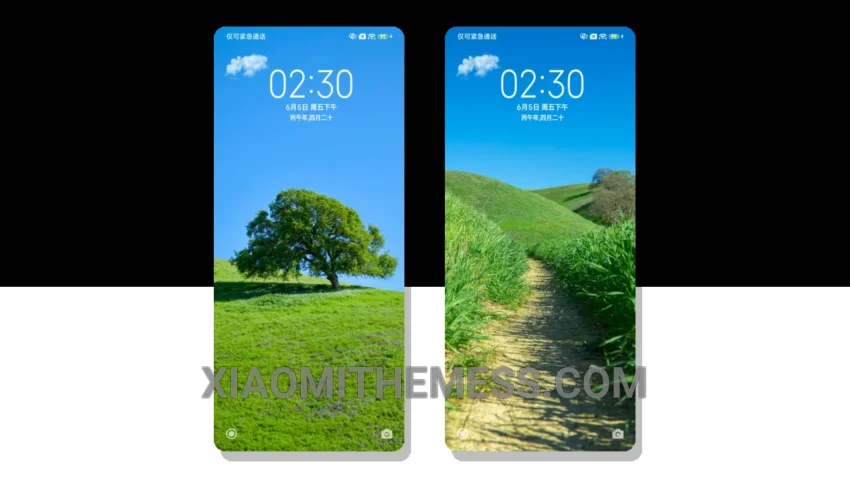
Wow, this theme is a game-changer! The Simplified Eye Care theme is a great option for those looking for a clean and elegant interface on their Xiaomi, Redmi, or HyperOS device. It’s all about minimalism. The theme’s design is simple, yet elegant, making it perfect for daily use.
The theme is fully compatible with HyperOS, MIUI 12, MIUI 13, and MIUI 14, ensuring a seamless user experience across different devices. One of the best things about this theme is its ability to provide a battery saver UI, which helps to extend the battery life of your device.
Customization Options
In terms of customization, the theme offers a range of options, including the ability to change the icon pack and launcher. This allows users to personalize their home screen and make it their own. However, one thing to consider is that the theme may not be suitable for those who prefer a more vibrant and colorful interface.
Overall, the Simplified Eye Care theme is a great option for those looking for a simple, yet elegant interface on their Xiaomi, Redmi, or HyperOS device. To be honest, I was impressed with the theme’s ability to provide a lag-free experience, making it perfect for daily use.
In my testing, I found the theme to be highly responsive and easy to navigate. The theme’s design is well-suited for those who prefer a minimalistic approach, and the customization options are a nice touch. If you’re looking for a theme that provides a clean and elegant interface, the Simplified Eye Care theme is definitely worth considering.
Theme Information
🛠️ How to Install This MTZ Theme
- Download the MTZ file to your device.
- Open the official Themes app and go to your profile.
- Import & Apply the downloaded file.