
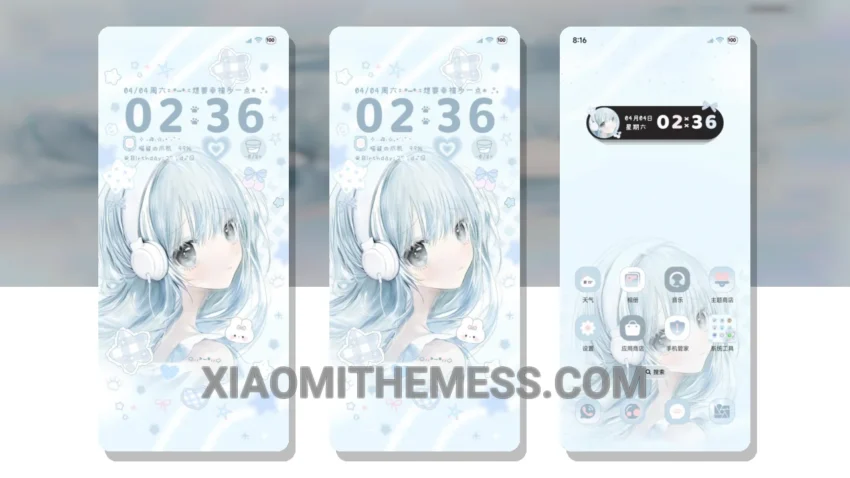
Fast, smooth animations are what I need. The OS Girl Heart Raster Color Change theme delivers. It provides a lag-free experience that is hard to find in other themes.
I like how it’s fully compatible with HyperOS, MIUI 12, MIUI 13, and MIUI 14. This makes it a great option for those who want a theme that will work seamlessly with their device.
Design and Customization
The minimal vibrant design is a major plus. It’s a great xiaomi theme for those who want a clean interface without too much clutter. Customization options are available, and you can use android customization apps to further personalize your home screen.
The theme also supports icon pack integration, which is a nice touch. This allows you to customize your home screen even further and make it truly unique.
Battery Efficiency
In terms of battery efficiency, the theme does a great job. The dark mode optimization helps reduce battery drain, making it a great option for those who want a battery saver UI.
The only caveat is that it may not be suitable for those who prefer a more cyberpunk aesthetic. However, for those who want a smooth, efficient, and clean theme, the OS Girl Heart Raster Color Change theme is a great choice.
In my testing, the theme performed well, providing a seamless and efficient user experience. To be honest, I’m impressed with the OS Girl Heart Raster Color Change theme, and I think it’s a great option for anyone looking for a high-quality xiaomi theme.
Theme Information
🛠️ How to Install This MTZ Theme
- Download the MTZ file to your device.
- Open the official Themes app and go to your profile.
- Import & Apply the downloaded file.