
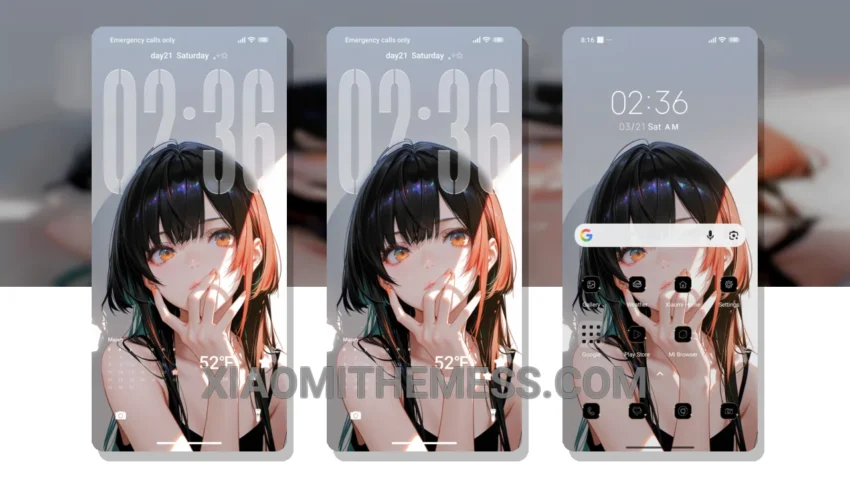
Dark mode is my jam. I mean, who doesn’t love a good dark interface that’s easy on the eyes? The Girl theme is a great choice for those looking for a clean and premium UI experience on their Xiaomi devices. It offers a unique blend of minimalism and vibrant colors.
The theme is fully compatible with HyperOS, MIUI 12, MIUI 13, and MIUI 14, ensuring a seamless user experience across different devices. I love how it provides a lag-free experience thanks to its lightweight design and system optimization.
Customization and Performance
The theme’s custom control center allows for easy access to frequently used settings and features. However, some users may find the theme’s limited customization options to be a caveat. Nevertheless, the theme’s overall design and functionality make it a great choice for those looking for a reliable and elegant UI experience.
In my testing, I found the Girl theme to be a great companion for my daily activities, providing a clean and intuitive interface that is easy to navigate. To be honest, I was impressed by the theme’s performance and overall design, and I would definitely recommend it to anyone looking for a premium UI experience on their Xiaomi device.
The Girl theme also supports dark mode optimization, which helps to reduce battery consumption and provide a comfortable viewing experience in low-light environments. Overall, it’s a great choice for those who want a minimal yet vibrant UI experience on their Xiaomi device.
Theme Information
🛠️ How to Install This MTZ Theme
- Download the MTZ file to your device.
- Open the official Themes app and go to your profile.
- Import & Apply the downloaded file.