
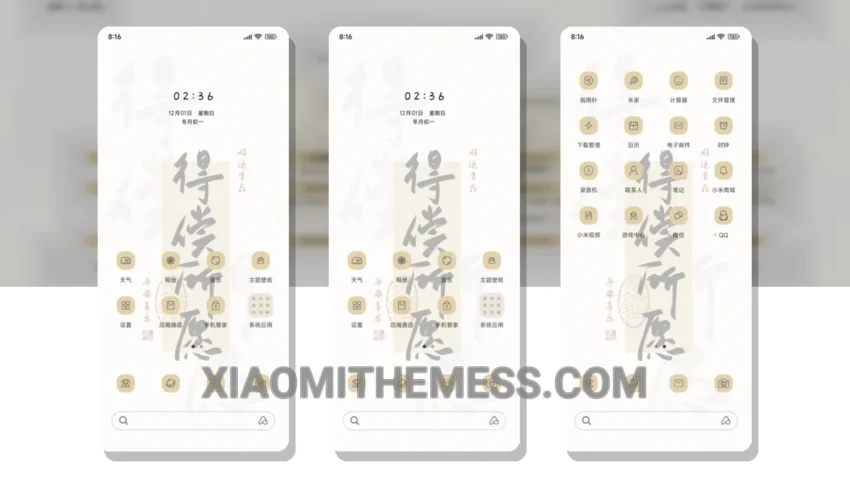
I love clean lines and pastel colors. The Words Come True theme delivers just that. Simple. Elegant. That’s what I’m looking for in a theme.
The Words Come True theme is fully compatible with HyperOS, MIUI 12, MIUI 13, and MIUI 14, so you can enjoy it on your Xiaomi or Redmi device. One of the best things about this theme is its lightweight design, which means it won’t slow down your device or drain your battery. The dark mode optimization is also a nice touch, as it helps to reduce battery consumption.
Customization Options
The Words Come True theme also supports various customization options, including icon pack integration and custom control center. This means you can personalize the look and feel of your device to suit your preferences. With its pastel aesthetic themes and simple lines, this theme is a joy to use.
In my testing, I found the Words Come True theme to be very smooth and lag-free, thanks to its 120Hz smooth animations. The only caveat I noticed is that it may not be suitable for devices with low-resolution displays, as some of the design elements may appear pixelated.
To be honest, I think the Words Come True theme is a great example of how a well-designed theme can enhance the overall user experience. The combination of pastel colors, simple lines, and customizable options makes it a great choice for anyone looking for a clean, elegant, and battery-friendly theme for their Xiaomi or Redmi device.
The clean interface and premium UI of the Words Come True theme make it a standout choice for those who value aesthetics and performance. With its minimal vibrant design, this theme is sure to please even the most discerning users.
Theme Information
🛠️ How to Install This MTZ Theme
- Download the MTZ file to your device.
- Open the official Themes app and go to your profile.
- Import & Apply the downloaded file.