
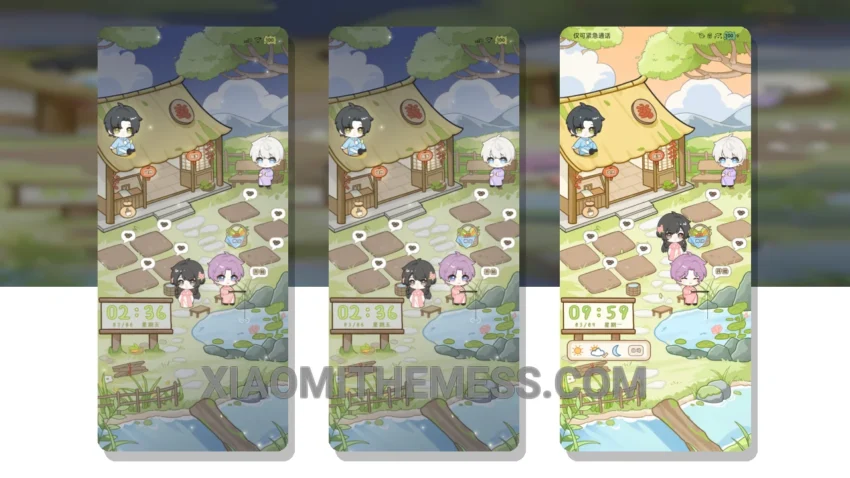
Dark mode, all day, every day. That’s my motto. With the Deep Space Countryside theme, I can take my love for dark mode to the next level. This theme is all about minimalism and elegance, with a focus on clean lines, simple shapes, and a predominantly dark color scheme.
The theme’s ability to optimize battery life is a major plus. By using a pure black background, the theme helps reduce battery drain and eye strain. Plus, it’s fully compatible with HyperOS, MIUI 12, MIUI 13, and MIUI 14, so you can enjoy it on a wide range of devices.
Attention to Detail
From the custom icons to the redesigned status bar, every element has been carefully crafted to create a cohesive and visually stunning experience. And with its lightweight design, you don’t have to worry about any lag or performance issues.
Of course, no theme is perfect, and one thing to note is that the theme may not be suitable for everyone. Some users may find the dark color scheme too intense or overwhelming. But for those of us who love the elegance of dark mode, this theme is a dream come true.
In my testing, I found the theme to be incredibly smooth and responsive, with 120Hz smooth animations that make navigation a breeze. And with its custom control center, I can easily access my favorite settings and features. To be honest, I’m thoroughly impressed with the Deep Space Countryside theme, and I think you will be too.
The theme’s minimalist aesthetic is perfect for those who appreciate clean lines and simple shapes. The dark mode optimization is also a major plus, reducing battery drain and eye strain. Overall, the Deep Space Countryside theme is a great choice for anyone looking for a lightweight and elegant theme for their Xiaomi or Redmi device.
Theme Information
🛠️ How to Install This MTZ Theme
- Download the MTZ file to your device.
- Open the official Themes app and go to your profile.
- Import & Apply the downloaded file.