
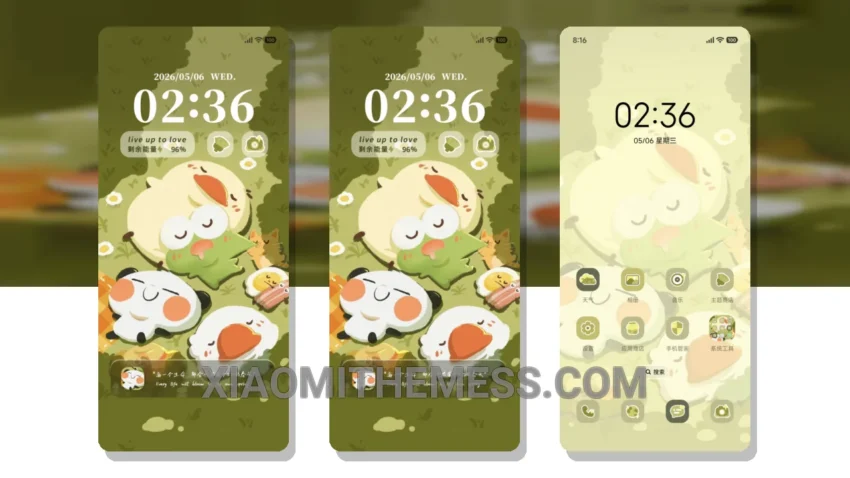
I’m obsessed with this theme! The vibrant pastel colors are so on point. The unique twist it brings to the classic HyperOS look is amazing. It’s like a breath of fresh air.
The theme is fully compatible with HyperOS, MIUI 12, MIUI 13, and MIUI 14, so you don’t have to worry about compatibility issues. It’s also pretty lightweight, so it won’t slow down your device.
One thing I love about this theme is the attention to detail. The custom control center and redesigned status bar are so sleek and modern. It’s like having a whole new phone.
Getting Started
Applying the MTZ theme is pretty straightforward. Just head to the theme store, download the theme, and follow the instructions. You’ll be enjoying your new theme in no time.
Of course, no theme is perfect. One thing to note is that it may take some getting used to, especially if you’re coming from a more traditional theme. But trust me, it’s worth it.
To be honest, I was a bit skeptical at first, but after using the theme for a while, I’m hooked. The pastel aesthetic is so gorgeous, and the performance is seamless. I’d definitely recommend it to anyone looking to spice up their Xiaomi device.
With its unique twist on the classic HyperOS look, this theme is a must-try for anyone looking to add some vibrancy to their device. The custom control center and redesigned status bar are just the icing on the cake.
In my testing, I found that the theme offers a great balance of form and function. The lightweight design ensures that your device remains fast and responsive, while the beautiful pastel colors add a touch of elegance to your home screen.
Theme Information
🛠️ How to Install This MTZ Theme
- Download the MTZ file to your device.
- Open the official Themes app and go to your profile.
- Import & Apply the downloaded file.