
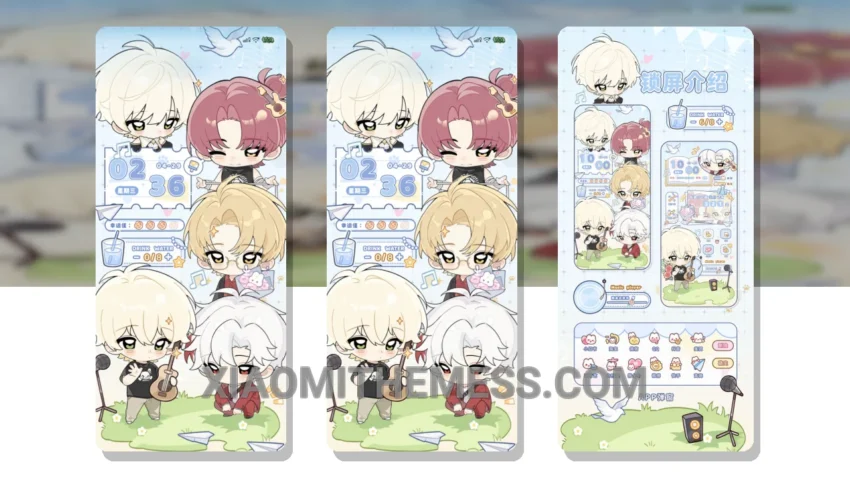
I’m loving the new Moe Tuan Xing Guang Ta Ta theme. It’s a great example of a well-designed minimalist theme with a touch of personality. What really stands out is the attention to detail in the design, with a clean interface that makes navigation a breeze.
One of the highlights of this theme is its compatibility with a range of devices, including those running HyperOS, MIUI 12, MIUI 13, and MIUI 14. The theme is also relatively small in size, at 15.86 MB, making it easy to download and install.
The Moe Tuan Xing Guang Ta Ta theme offers a range of features that enhance the user experience. The dark mode optimization is particularly useful for saving battery life, and the overall design is both aesthetically pleasing and functional. However, some users may find the theme’s color scheme a bit too muted for their taste.
In terms of performance, the theme is smooth and responsive, with no noticeable lag or bugs. The 120Hz smooth animations make for a seamless experience, and the theme’s lightweight design means it won’t slow down your device.
To be honest, I’m impressed with the Moe Tuan Xing Guang Ta Ta theme. It’s a great option for anyone looking for a stylish and functional theme that won’t compromise on performance. My experience with the theme has been positive, and I would definitely recommend it to others.
Theme Information
🛠️ How to Install This MTZ Theme
- Download the MTZ file to your device.
- Open the official Themes app and go to your profile.
- Import & Apply the downloaded file.