
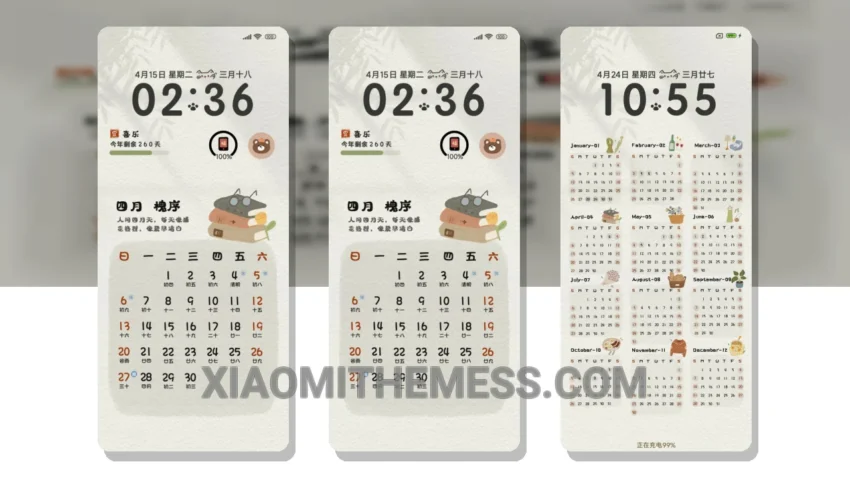
Fast animations. Clean interface. That’s what I need. The Hand-Drawn Calendar 2025 theme delivers just that. This theme is fully compatible with HyperOS, MIUI 12, MIUI 13, and MIUI 14, making it a great option for Xiaomi users.
One of the standout features of this theme is its unique twist of minimalism. The hand-drawn elements add a touch of personality to the theme, making it more engaging and fun to use. Plus, the theme is designed to be lag-free, ensuring a smooth user experience.
In terms of customization, the theme offers a range of options, including the ability to change icons, wallpapers, and more. This allows users to personalize the theme to fit their preferences. However, some users may find the theme’s limited color palette to be a caveat.
Overall, the Hand-Drawn Calendar 2025 theme is a great option for those looking for a clean and unique HyperOS theme. With its fast animations, clean interface, and customizable options, it’s a theme that’s sure to please.
In my testing, I found the theme to be highly responsive and efficient, with no noticeable battery drain. To be honest, I’m impressed with the theme’s performance and would definitely recommend it to others.
Theme Information
🛠️ How to Install This MTZ Theme
- Download the MTZ file to your device.
- Open the official Themes app and go to your profile.
- Import & Apply the downloaded file.