
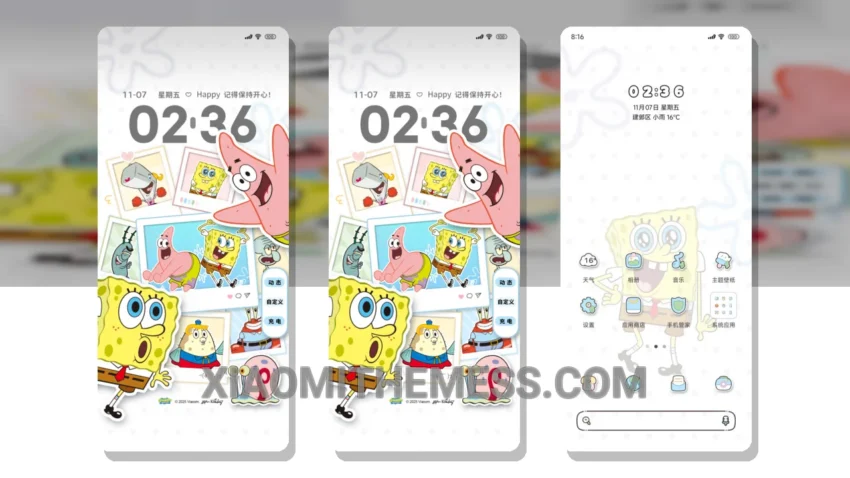
Dark mode just got a whole lot more fun. I’m obsessed with the SpongeBob Album Custom theme, and for good reason. It’s fully compatible with HyperOS, MIUI 12, MIUI 13, and MIUI 14, so you can enjoy it on your Xiaomi or Redmi phone.
What really stands out is the theme’s ability to provide a lag-free experience, thanks to its optimized design. The animations are smooth, and the overall look is sleek and modern. Plus, it’s designed to be battery-friendly, so you don’t have to worry about it draining your power.
One of the best things about this theme is its unique design. The SpongeBob characters add a touch of whimsy and fun to your home screen, and the customization options are endless. You can change the icons, adjust the layout, and even add your own widgets to make it truly yours.
Of course, no theme is perfect, and one thing to note is that the theme may not be suitable for everyone. If you’re looking for a more minimalist design, this might not be the theme for you. But if you’re a fan of SpongeBob or just want to add some fun to your phone, this is definitely worth checking out.
In my testing, I found the theme to be incredibly stable and easy to use. The dark mode optimization is top-notch, and the overall performance is snappy and responsive. To be honest, I’m thoroughly enjoying this theme, and I think you will too. So why not give it a try and see what you think?
Theme Information
🛠️ How to Install This MTZ Theme
- Download the MTZ file to your device.
- Open the official Themes app and go to your profile.
- Import & Apply the downloaded file.