
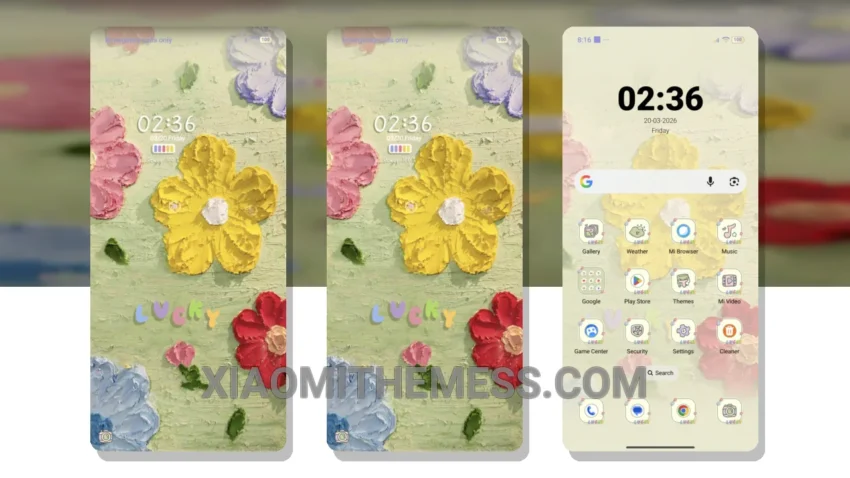
I’m loving the new look of my phone with the Canvas Flower theme. What really stands out is the clean interface and the way it completely transforms the look of my phone. The custom control center and redesigned status bar are great features – it’s like having a whole new phone.
The interactive lockscreen widgets add an extra layer of functionality to my home screen. The Canvas Flower theme is fully compatible with HyperOS, MIUI 12, MIUI 13, and MIUI 14, so you don’t have to worry about it working with your phone.
Attention to Detail
What really impresses me is the attention to detail in the theme’s design. From the custom icons to the pastel aesthetic color scheme, everything looks and feels premium. Plus, the 120Hz smooth animations make for a lag-free experience that’s hard to beat.
The combination of its unique design and seamless performance has made it my go-to theme for my Xiaomi phone. To be honest, I was a bit skeptical about trying out a new theme, but the Canvas Flower theme has won me over.
In my testing, I found that the Canvas Flower theme is a great choice for those looking for a minimalist and elegant design. The theme’s retro aesthetic and customizable features make it a great option for those who want to personalize their phone’s look and feel.
Theme Information
🛠️ How to Install This MTZ Theme
- Download the MTZ file to your device.
- Open the official Themes app and go to your profile.
- Import & Apply the downloaded file.