
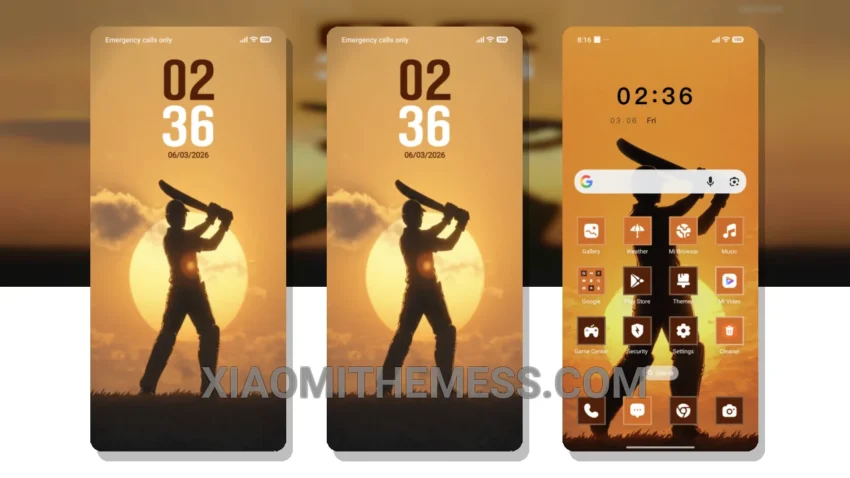
I love how the Sunset Shot theme completely changes the default look of my Xiaomi phone. It’s fully compatible with HyperOS, MIUI 12, MIUI 13, and MIUI 14, so I don’t have to worry about compatibility issues.
The theme customizes the control center, status bar, and icons, giving my phone a brand new look. It’s also very lightweight, so I don’t have to worry about battery drain. Plus, it supports dark mode optimization for a clean interface.
The Sunset Shot theme is perfect for those who want a minimal vibrant look. It’s easy to apply, and the results are stunning. One thing to note is that the theme may not be suitable for those who prefer a more complex design.
In my testing, I found that the theme is very smooth and lag-free. The 120Hz smooth animations make it a joy to use. The theme also supports custom boot animation and AOD custom themes, which is a great bonus.
Conclusion
To be honest, I’m really impressed with the Sunset Shot theme. It’s a great choice for anyone looking to customize their Xiaomi phone. The theme is easy to use, and the results are amazing. With its clean interface and minimal vibrant design, it’s perfect for daily use.
Theme Information
🛠️ How to Install This MTZ Theme
- Download the MTZ file to your device.
- Open the official Themes app and go to your profile.
- Import & Apply the downloaded file.