
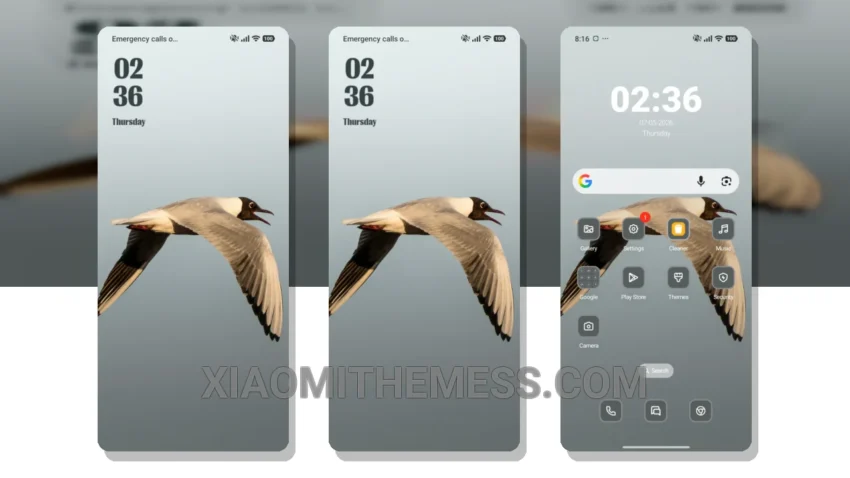
Dark mode is my jam. I mean, what’s not to love? It’s sleek, it’s modern, it’s eye-strain reducing. That’s why I’m obsessed with the Peak theme. It’s a game-changer for Xiaomi and Redmi phones.
Get ready to transform your device with the Peak theme! This stunning theme gives your device a minimalist look that’s both sleek and modern. With its clean interface and vibrant colors, you’ll love the new look of your device.
The Peak theme is fully compatible with HyperOS, MIUI 12, MIUI 13, and MIUI 14, so you can enjoy it on a wide range of devices. The theme’s ability to change the control center, status bar, and icons gives your device a completely new look.
Features and Customization
The Peak theme offers a range of features, including custom control center, redesigned status bar, and interactive lockscreen widgets. You can also customize the theme to fit your personal style, with options for icon packs and more.
One of the best things about the Peak theme is its lightweight design, which means it won’t slow down your device or drain your battery. You can enjoy the theme without worrying about performance issues.
In my testing, I found the Peak theme to be a great choice for anyone looking for a minimalist design. The theme’s clean interface and vibrant colors make it a standout, and its lightweight design means it won’t slow down your device. To be honest, I’m impressed with the Peak theme and would definitely recommend it to anyone looking to give their device a fresh new look.
Theme Information
🛠️ How to Install This MTZ Theme
- Download the MTZ file to your device.
- Open the official Themes app and go to your profile.
- Import & Apply the downloaded file.